On this page
- How to Start a Podcast on YouTube: Why the Platform Works for Beginners
- How to Start a Video Podcast for Free
- You’ve Published Your First Episode. What Comes Next?
- How to Start a Live Podcast on YouTube
- Equipment Tiers: From Zero Budget to Professional
- Recording Remote Guests for Free
- Using YouTube Shorts to Grow Your Podcast
- How to Actually Make YouTube Shorts Work
- Frequently Asked Questions
- Start Today, Improve Tomorrow
If you’re still hesitating to start your real estate podcast on YouTube, here are some numbers you need to think about:
- YouTube just crossed 1 billion monthly podcast viewers worldwide.
- One-third of U.S. podcast listeners now choose YouTube over Spotify or Apple Podcasts, making it one of the most popular podcasting platforms.
- And 65% of YouTube podcast viewers are consuming podcasts for the first time.
For real estate agents looking to build authority in their market, learning how to start a podcast on YouTube creates a massive opportunity to reach buyers and sellers who have never listened to a traditional podcast.
The barrier to entry has never been lower.
You can start a podcast for free on YouTube using tools you probably already own.
This guide walks you through exactly how to start a podcast on YouTube, from zero-cost setup to live streaming, with specific workflows whether you have nothing or are ready to invest in professional equipment.
How to Start a Podcast on YouTube: Why the Platform Works for Beginners
The real estate podcasting world is shifting to video, and fast. Here’s what’s happening:
Video Podcasts:
- Grew from 18% of all podcasts in 2020 to 36% in 2025
- Increased by 64% globally over the past 3 years
- Saw 28% growth just last year
Audio-Only Podcasts:
- Have stayed mostly flat with only 4% growth last year
- Are losing market share to video format
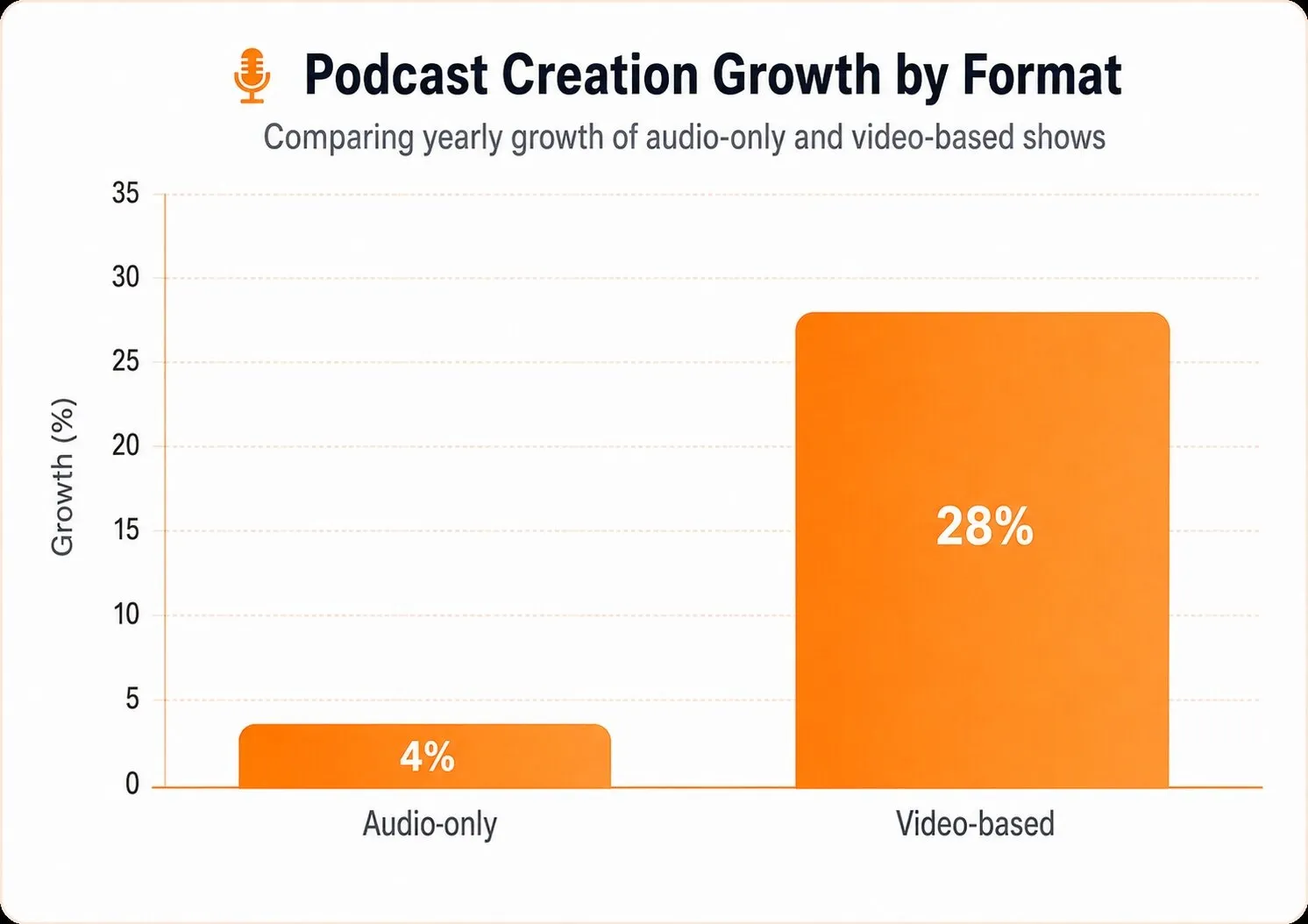
The numbers are clear: audiences want to see you, not just hear you.
Now let’s look at why video podcasts outperform audio-only podcasts when growing your real estate business.
- Discovery advantage: 33% of listeners prefer to explore new podcasts on YouTube (over Spotify and Apple Podcasts). For Gen Z, that number jumps to 84%. YouTube’s search algorithm surfaces your content to people actively looking for information in your niche.
- Higher trust and engagement: 44% of viewers say they trust creators more when they can see them on video, compared to just 26% for audio-only. Viewers are also 56% more likely to finish an episode that includes video.
- Built-in monetization: YouTube’s ad revenue system means you can earn money without chasing sponsorships. The platform paid out over $100 billion to creators in 2021-2025.
- Increased Inquiries: Real estate listings that incorporate video content receive 403% more inquiries than those without.
Video vs. Audio-Only Podcasts
| Advantage | Video Podcasts (YouTube) | Audio-Only Podcasts |
|---|---|---|
| Discovery | Accessible; Preferred by new listeners over Spotify and Apple Podcasts | Relies on directories, less visible |
| Trust/Engagement | Higher creator trust because they see your face; More engagement | Lower trust; higher drop-off |
| Monetization | Built-in ad revenue, no sponsorship hunt | Requires external deals |
| Inquiries | Boosts listing leads via visual tours | Limited impact without video |
How to Start a Video Podcast for Free
If you’re learning how to start a podcast on YouTube for beginners, you do not need expensive equipment to launch. The following workflow uses entirely free tools and gets you recording within an hour.
Step 1: Set Up Your YouTube Channel
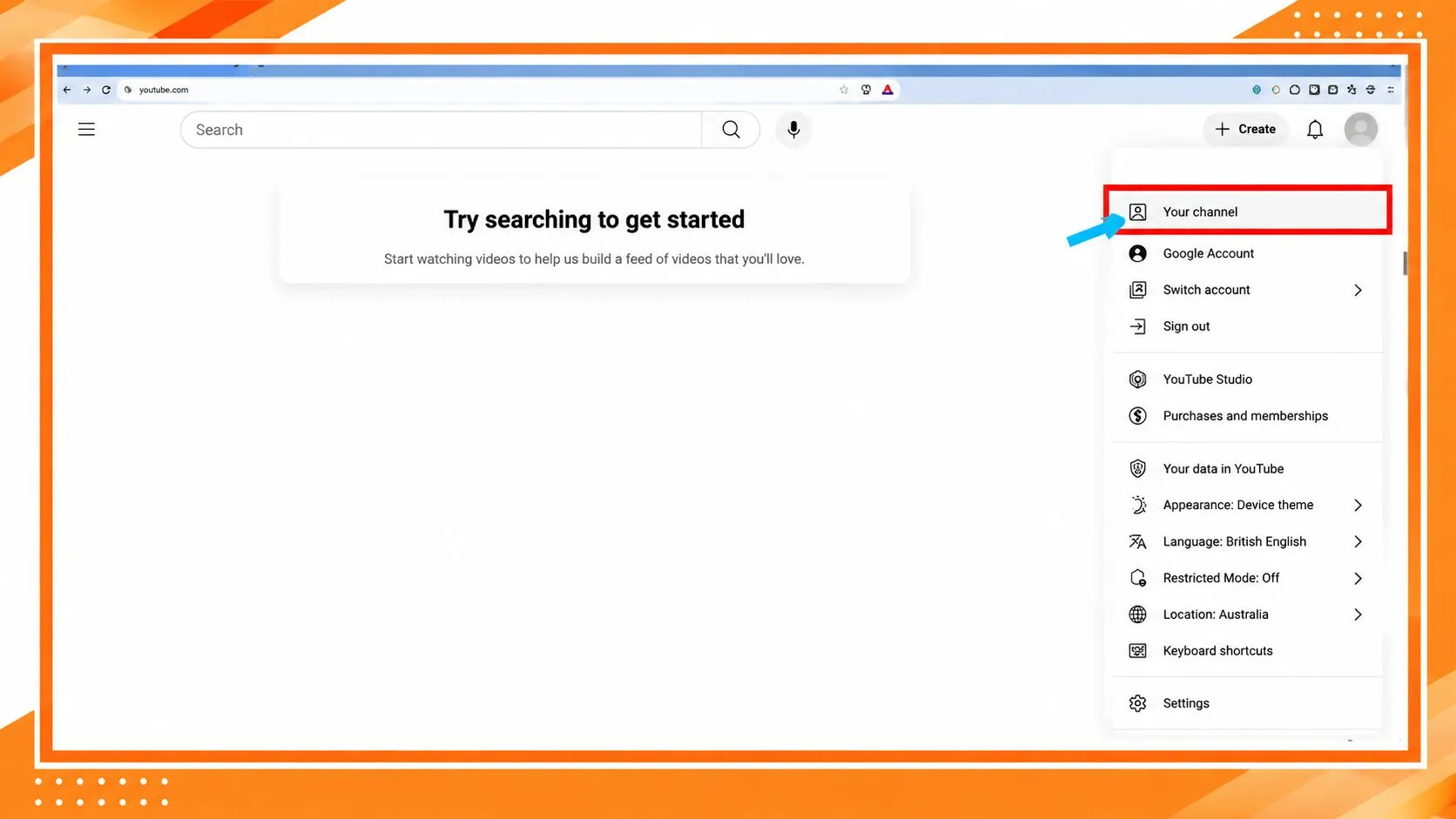
Create a Google account if you do not have one, then navigate to YouTube Studio.
Click ‘Create a channel’ and enter your podcast name.
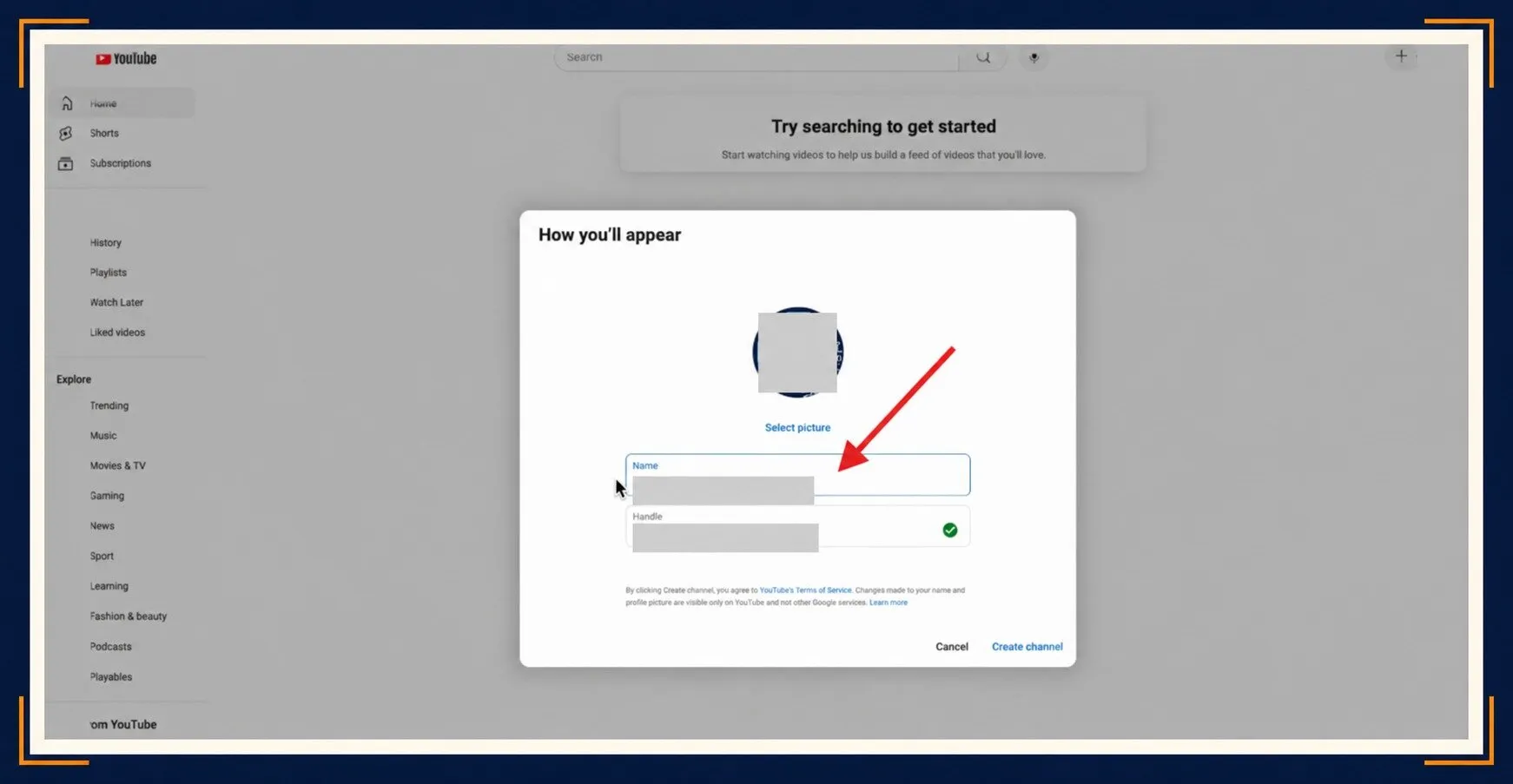
For real estate agents, consider formats like ‘[Your Name] Real Estate Podcast’ or ‘Inside [City Name] Real Estate’ to capture local search intent.
Here are some examples of names of our podcasts in the #1 Real Estate Podcast Network! Get inspired:
- Failures to Fortunes Podcast
- Real Estate Riches Podcast
- The R.E.A.L. Moms Podcast
- Real Estate on the Up Podcast
- The Virtual Millionaire Show
- Oklahoma Real Estate Radio
- 239 Real Estate Roundtable
- Real Roots: Hawaii
- Lifting Others As We Rise Podcast
- Momentum in Real Estate
- Sticks & Bricks Podcast
Add a channel description with keywords your target audience searches.
Upload a profile photo and banner image.
Canva’s free tier includes YouTube channel art templates that look professional.
Step 2: Choose Your Free Recording Software
Several completely free options handle both video and audio recording:
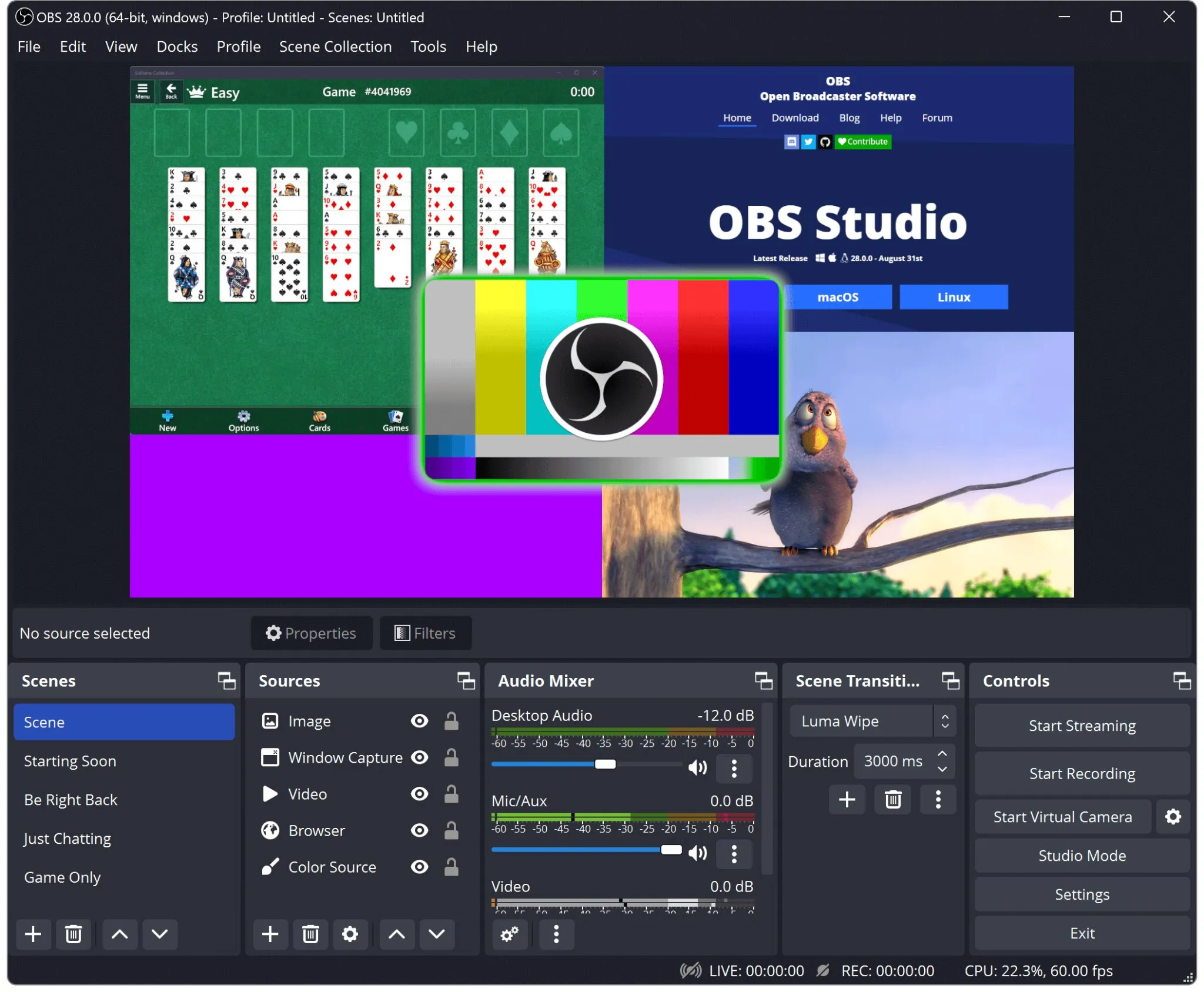
- OBS Studio – records video and audio simultaneously with professional quality. It works on Windows, Mac, and Linux. The learning curve takes about 30 minutes to understand the basics.
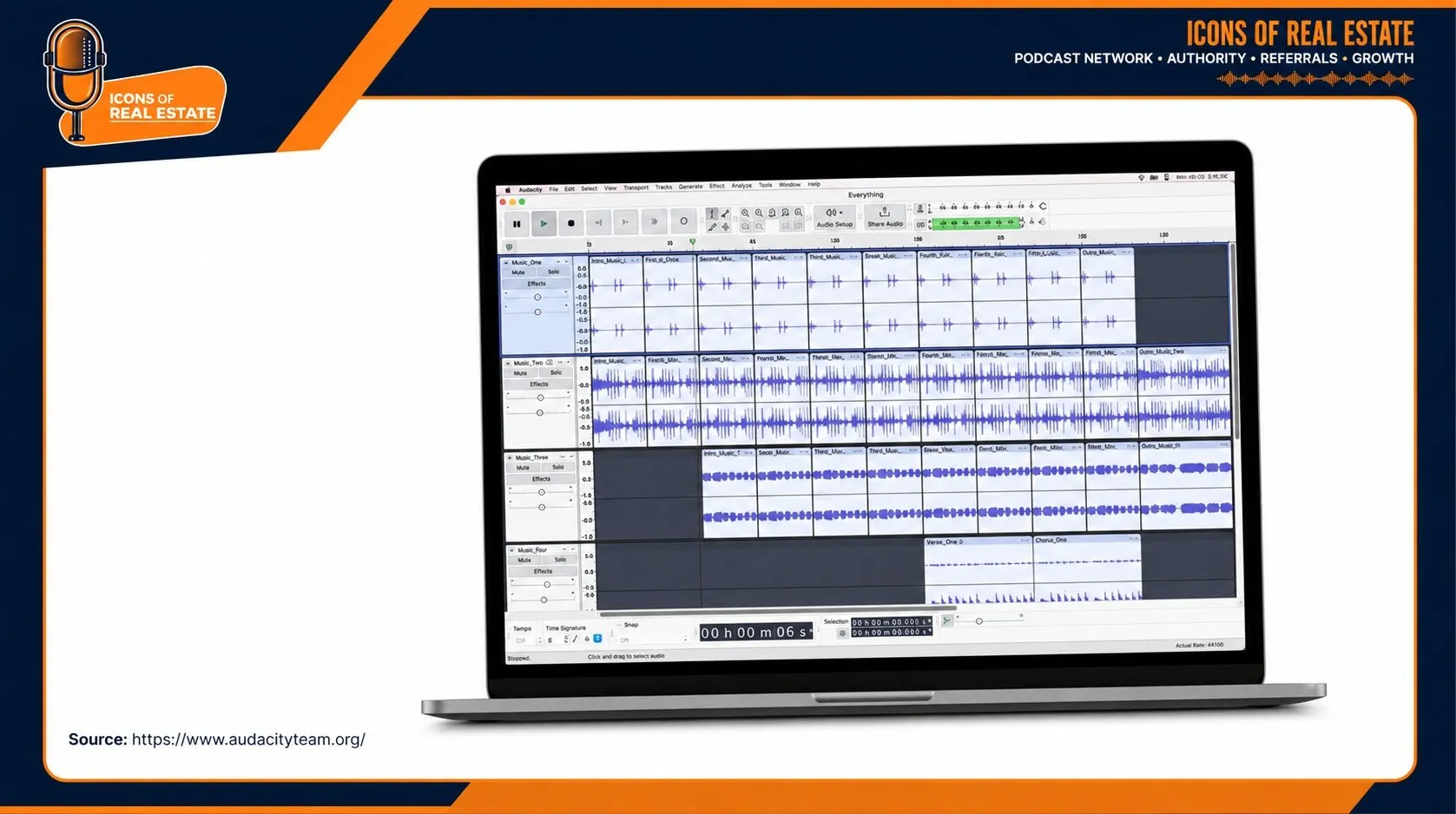
- Audacity handles audio editing with multi-track recording and built-in effects. It is the most popular free audio editor available.
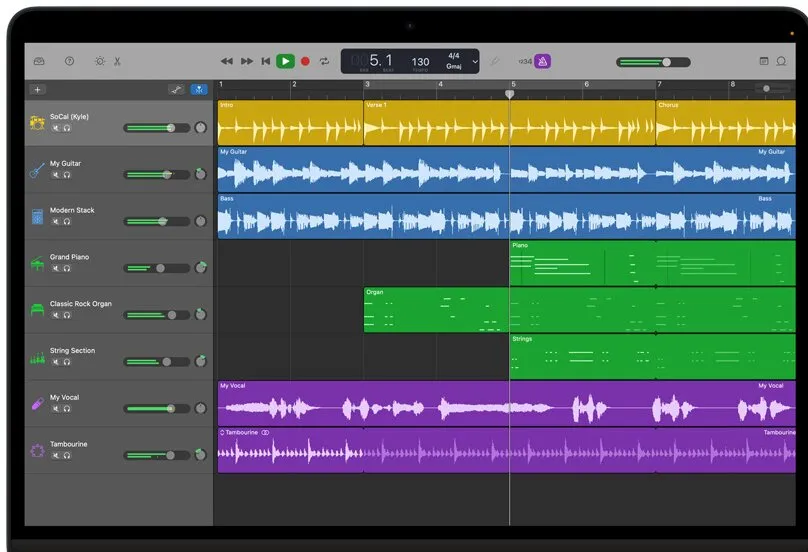
- GarageBand (Mac only) offers an intuitive interface with podcast templates built in. If you own a Mac, this is the fastest path from idea to published episode.
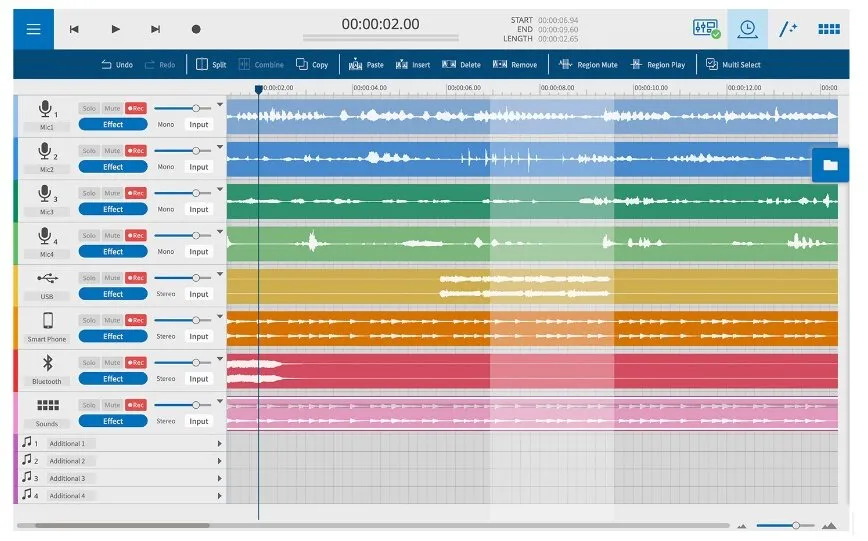
- TASCAM Podcast Editor is a newer free option that works on Windows, Mac, iOS, and iPad. It includes features like noise removal and voice normalization.
But Reminder: Don’t Let Tools Stop You From Starting
Yes, tools like OBS Studio, Audacity, GarageBand, and TASCAM exist, and they’re free. Professional podcasters use them to create studio-quality content.
But here’s the truth: you don’t need them to get started.
In fact, learning these tools can actually hurt your success as a new podcaster. Why? Because most people get so overwhelmed by the technical learning curve that they never record their first episode. They spend weeks watching tutorials, tweaking settings, and “preparing” but never actually podcasting.
That’s the opposite of what works.
If you want the “Simplicity Advantage,” Just Use ZOOM
- Zoom (All-in-one audio/video recording)
- ✔️Records high-quality video and audio
- ✔️Separates audio tracks for you and your guest
- ✔️Includes screen sharing for presentations
- ✔️Works on any device you already own
Then once you’ve built momentum and validated your real estate podcast, you can gradually upgrade your equipment and production setup. But if you’d rather skip the technical learning curve altogether, you don’t have to build the entire operation yourself.
You can also launch your real estate podcast with ICONS and get professional support with strategy, branding, guest booking, editing, publishing, syndication, and social media clips, so you can stay focused on valuable conversations, client relationships, and closings.
Step 3: Record Using Your Smartphone or Laptop
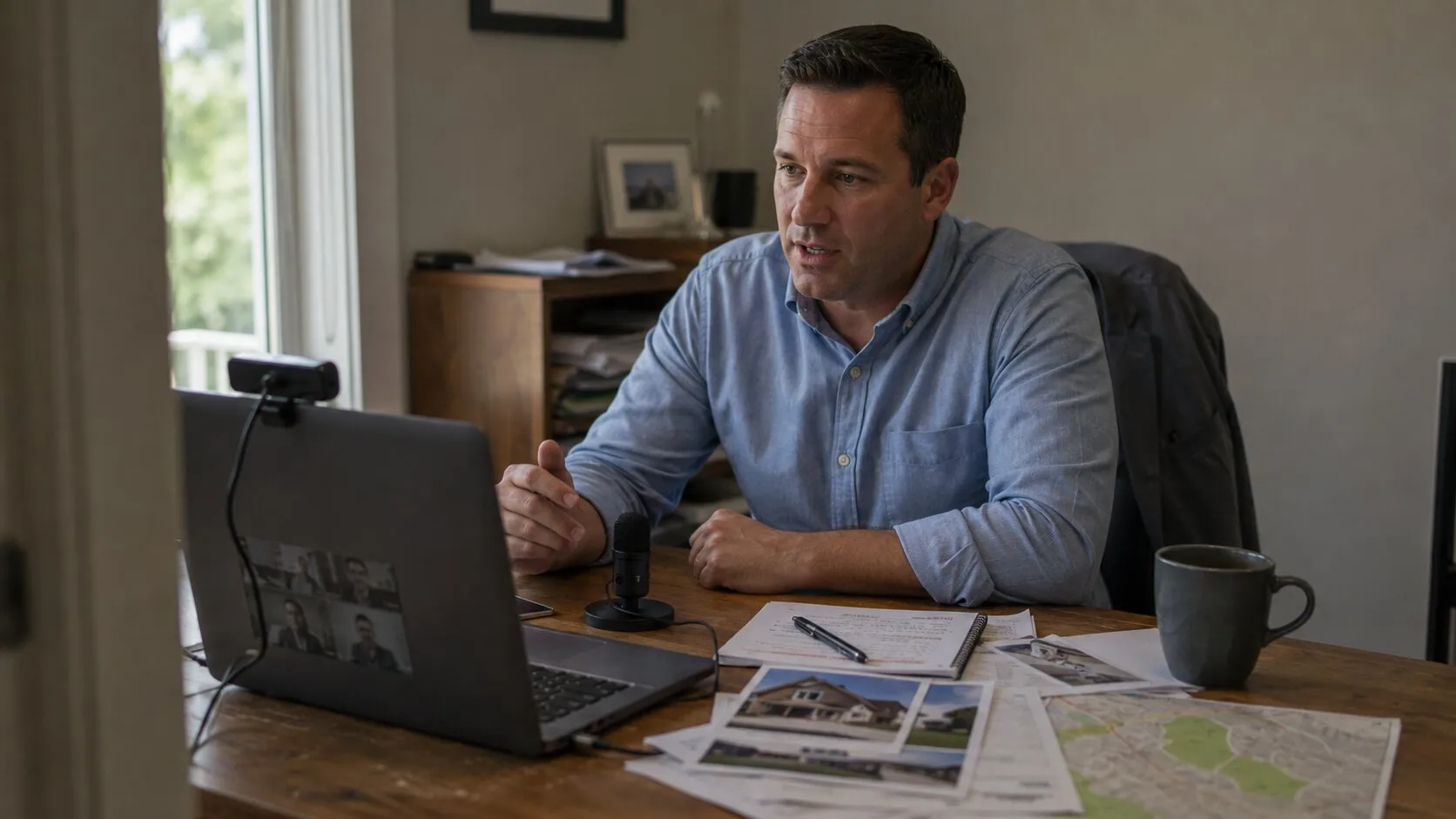
Your laptop webcam or smartphone camera produces acceptable video quality for YouTube. Position yourself facing a window for natural lighting.
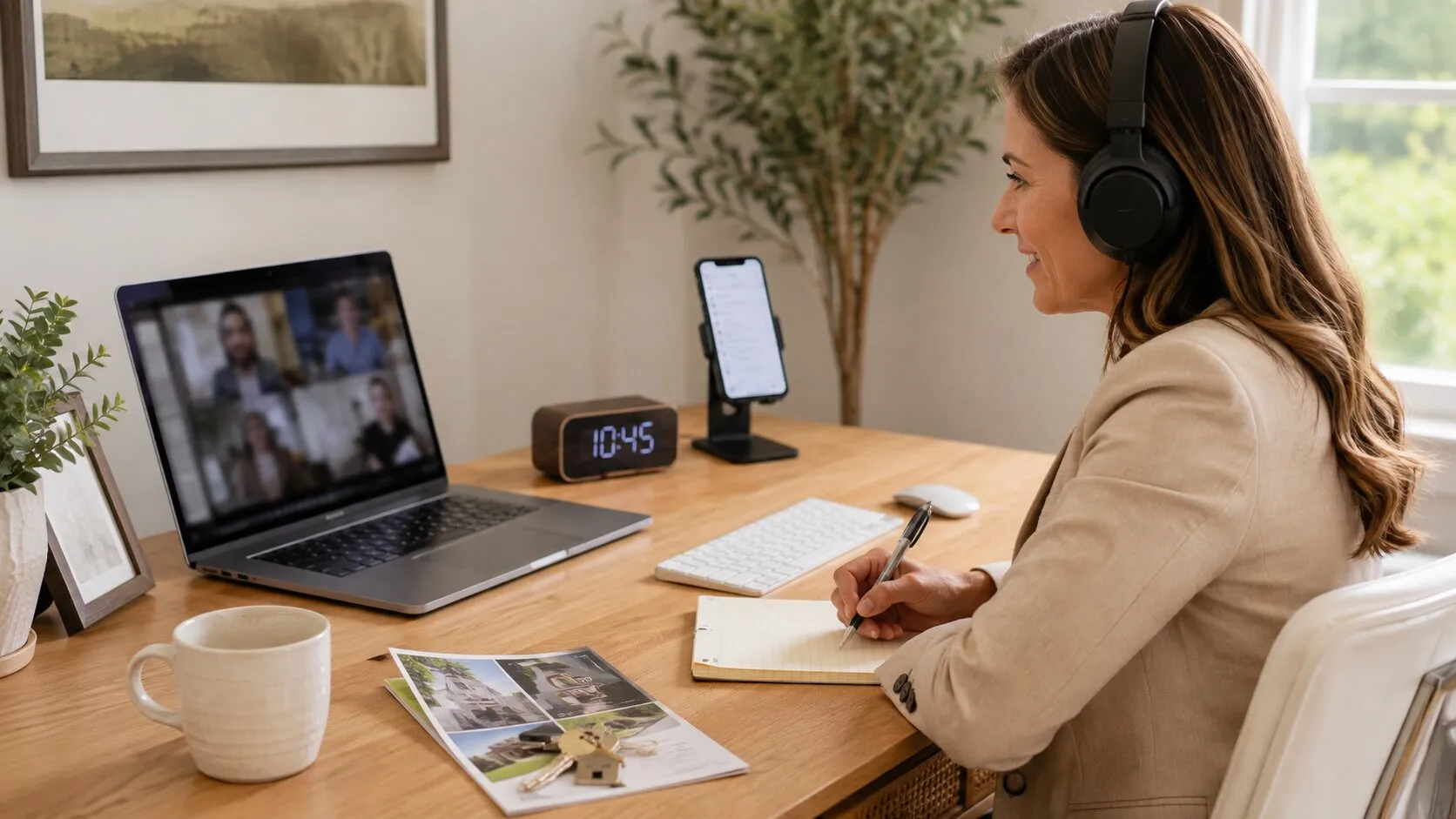
- Keep the camera at eye level or slightly above. A stack of books works as a free phone tripod.
- Audio matters more than video quality. Listeners will tolerate imperfect visuals but most of your listeners will stop watching if audio is hard to hear.
- Use earbuds with a built-in microphone as a minimum.
- Record in a quiet room with soft furnishings to reduce echo.
Step 4: Edit and Upload
Import your recording into Audacity or GarageBand for audio cleanup.
- Remove long pauses, background noise, and any mistakes.
- Normalize volume levels to compress loud/quiet spikes in audio
- Remove filler words like “um/uh”
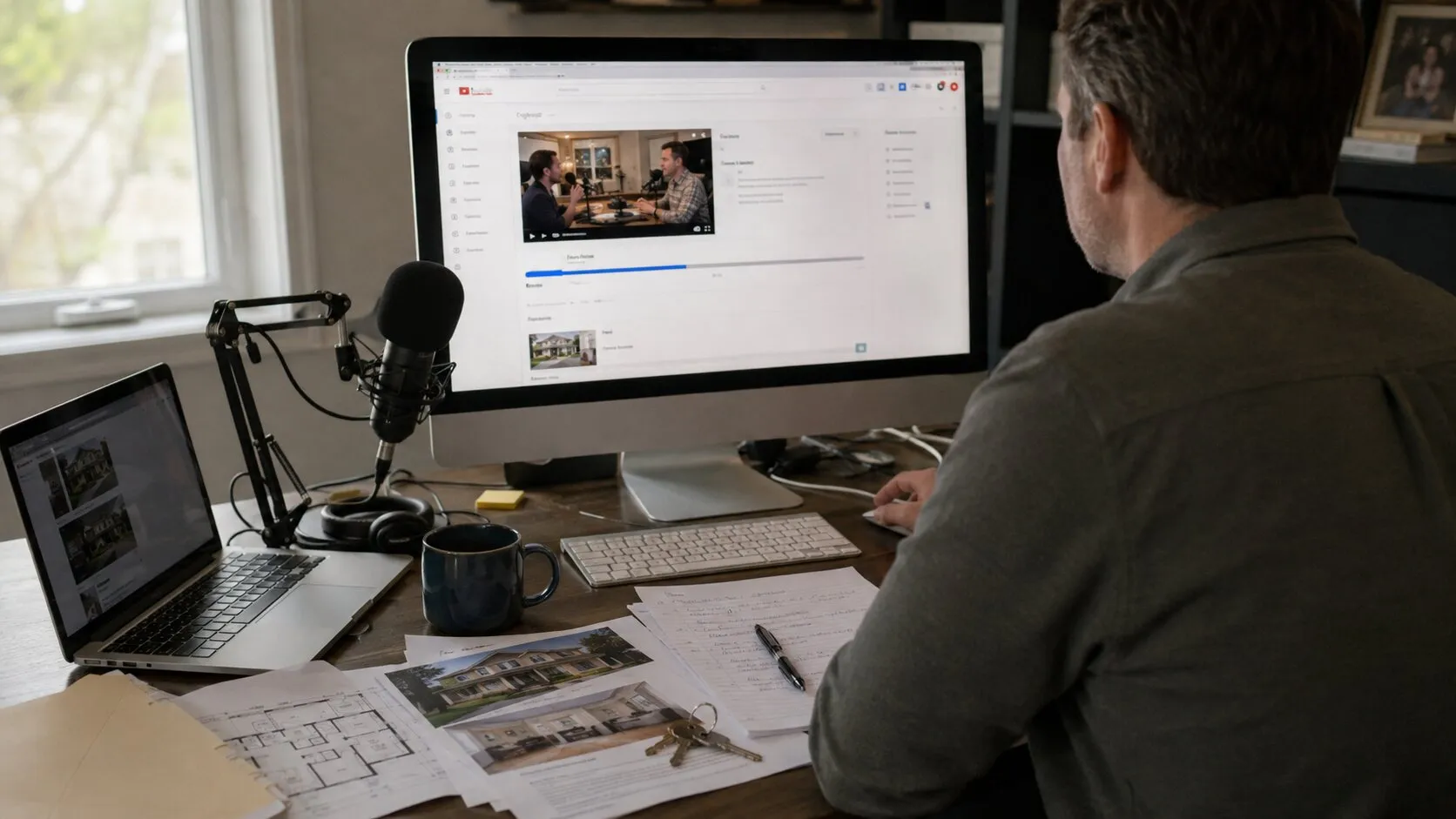
Export the audio, then sync it with your video in a free editor like DaVinci Resolve or YouTube’s built-in editor that lets you clean up audio, add captions, filters, and even sound effects.
Create a custom thumbnail using Canva’s free templates rather than using an auto-generated frame.
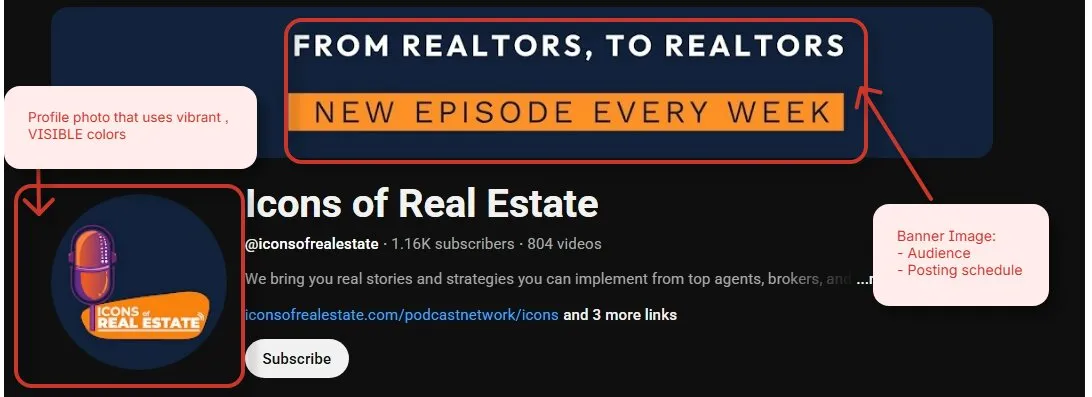
Once you upload, don’t forget to write a title under 60 characters that includes your target keyword. Finally, add timestamps in your description for different topics covered.
You’ve Published Your First Episode. What Comes Next?
How do you turn one uploaded episode into an ongoing strategy that builds relationships, grows your authority, and supports your real estate business?
The ICONS five-framework podcast playbook breaks the process into five connected parts:
Framework 01: Overview Framework 02: Inviting Guests Framework 03: Hosting Framework 04: Launching Framework 05: Syndication and Distribution
Together, these frameworks show you how to plan your podcast, invite strategically valuable guests, host relationship-building conversations, launch with momentum, and distribute each episode as reusable content across multiple platforms.
Download the Complete Podcast Framework
Turn what you’ve learned into a repeatable podcasting strategy.
How to Start a Live Podcast on YouTube
Live streaming creates a real-time connection with your audience and requires no editing afterward. YouTube Live is free to use once you verify your channel.
Make Sure Your Channel’s Settings are Equipped To Go Live
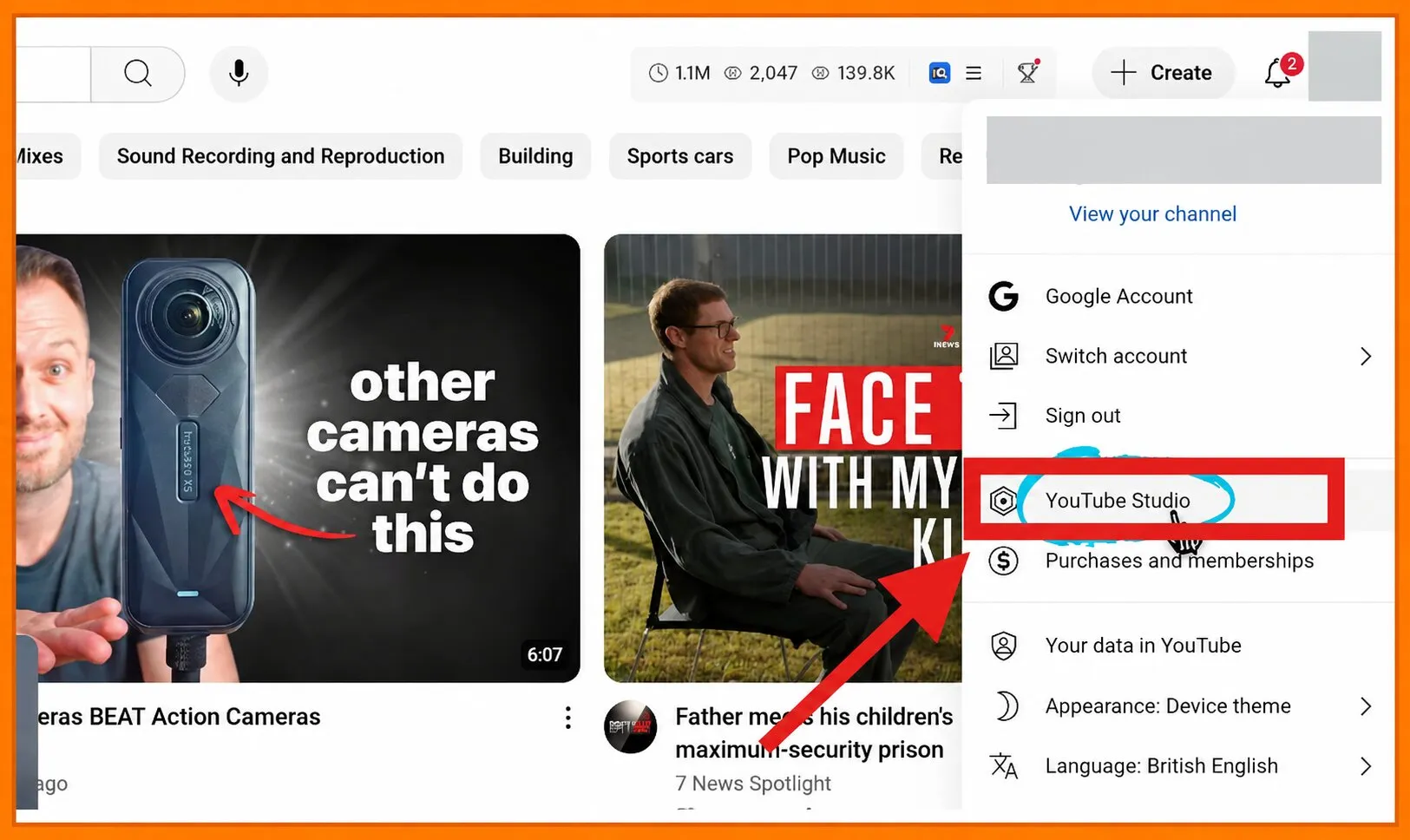
- Make sure you have your channel set up → Click here in the YouTube studio
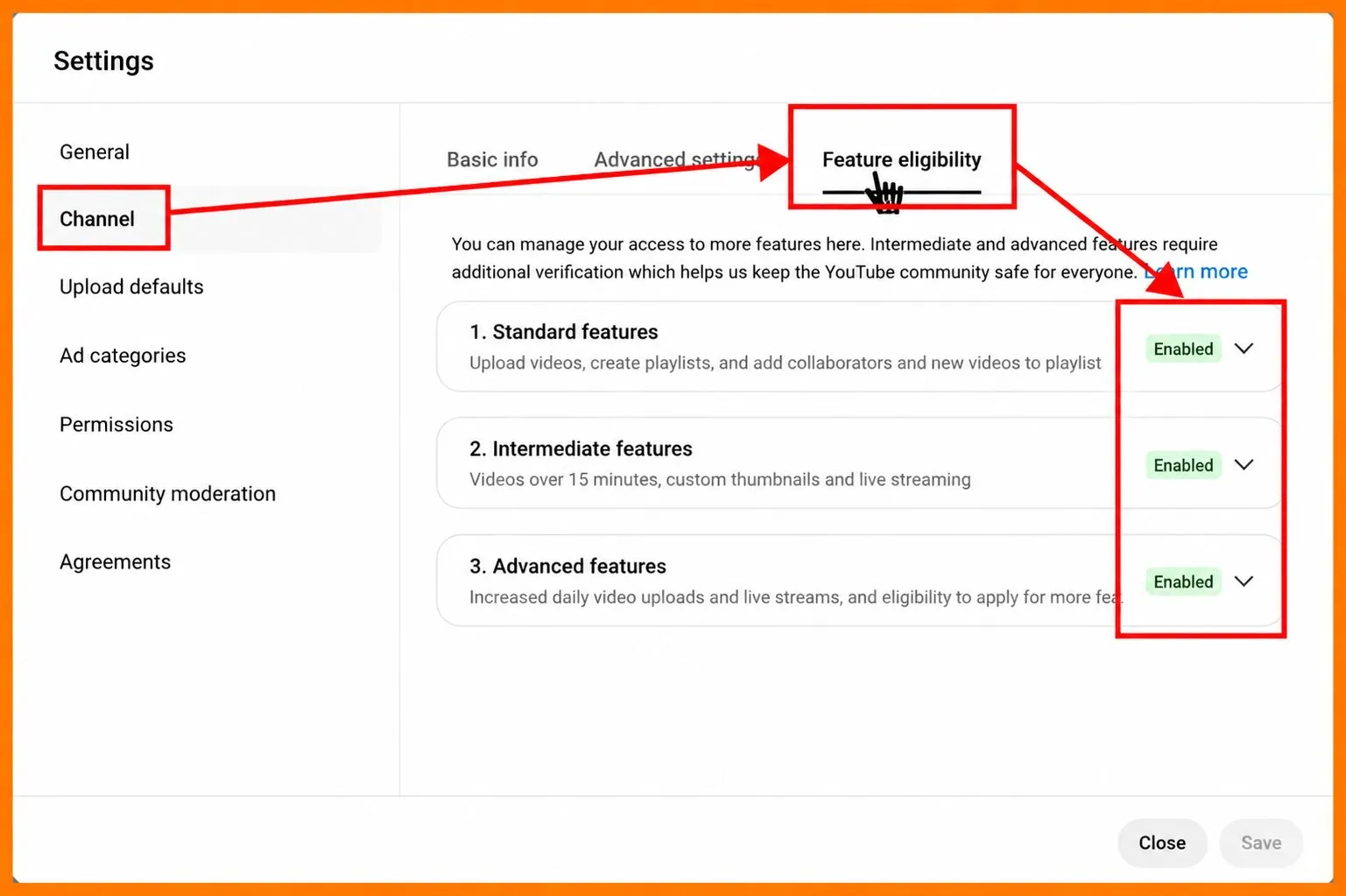
- At the bottom left, press settings, then go to channel, then “feature eligibility.” Then, make sure you enable these 3 features.
Go LIVE 🟢
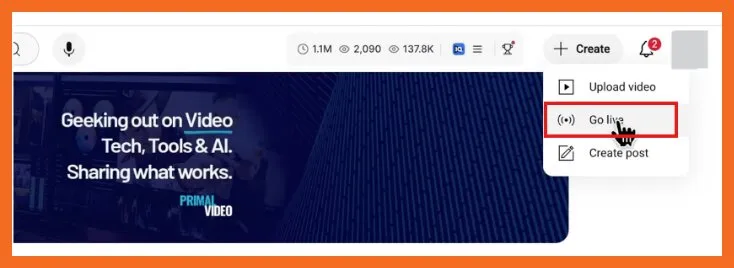
- At the top right, next to the notification bell, press “Go live”
-
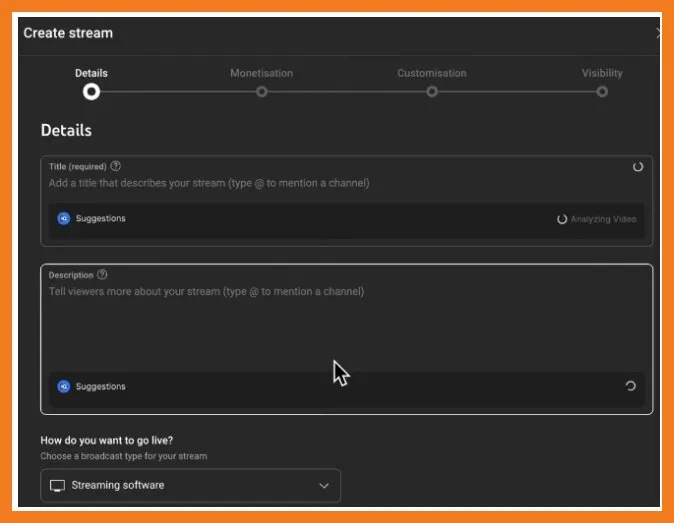
You’ll arrive in the “Manage Stream” option. Go to your top right to “Schedule stream.” Then, make sure to fill up the form. You’ll have to fill in:
-
Title
-
Description
-
How you want to go live (streaming software, webcam, mobile)
-
Thumbnail
-
Tags
-
Audience
-
And more…
And once you’re done, you’re now ready to schedule your stream.
-
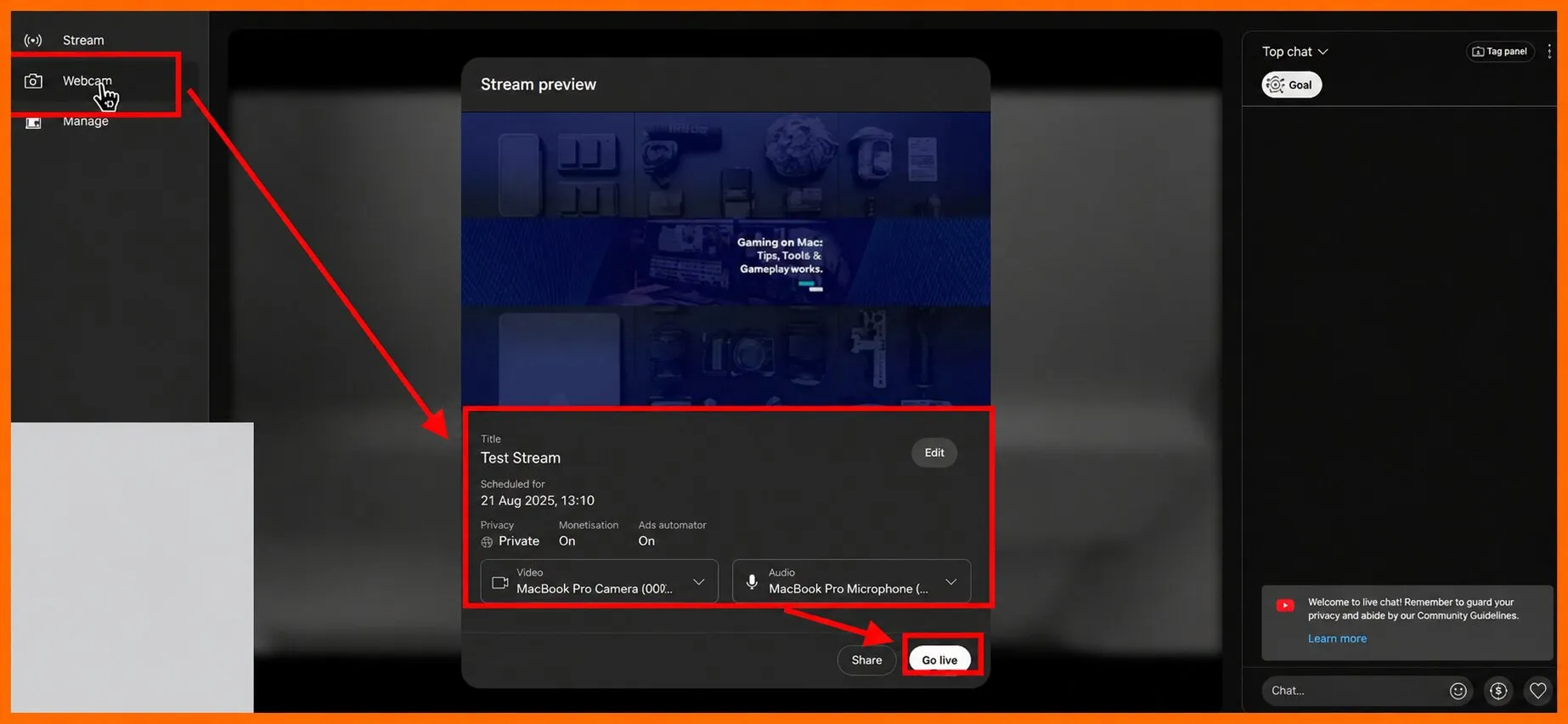
If you want to go live right away, select “webcam” on the far left. set up your stream preview and the following settings:
-
Add your thumbnail
-
Add your title
-
Set the date
-
Select your video and audio input options
-
Then, press Go LIVE
Equipment Tiers: From Zero Budget to Professional
| Tier | Cost | Equipment Essentials |
|---|---|---|
| Free Tier | $0 | Smartphone/laptop webcam, wired earbuds mic, window light, Audacity/Canva |
| Starter Tier | $100-300 | USB mic (Samson Q2U/Yeti), ring light/desk lamp, phone tripod |
| Professional | $500+ | XLR mic + interface (Shure SM7B), webcam C922, 3-point lighting, acoustic panels |
Free Tier ($0)
- Smartphone or laptop webcam
- Wired earbuds with microphone
- Natural window lighting
- Free software (Audacity, Canva)
Starter Tier ($100-300)
- USB microphone (Blue Yeti, Audio-Technica ATR2100x, or Samson Q2U)
- Ring light or desk lamp with soft white bulb
- Phone tripod or basic webcam stand
Professional Tier ($500+)
- XLR microphone with audio interface (Shure SM7B, Rode PodMic)
- Dedicated webcam (Logitech C920/C922) or mirrorless camera with capture card
- Three-point lighting setup
- Acoustic panels or foam for sound treatment
Start with what you have. Upgrade when it pays for itself.
Record your first 10 episodes on your smartphone through Zoom. If one of those episodes leads to a listing appointment, you’ve just proven podcasting works for your business. Now you can justify spending money on better equipment because you have real results, not just hopes.
Don’t buy gear to “look professional.” Earn clients first. Then upgrade.
Recording Remote Guests for Free
Interviewing guests expands your content without requiring you to carry every episode alone. Several platforms offer free tiers:
| Platform | What It Does | Free Tier |
|---|---|---|
| Zoom | Records audio/video calls with guests | Up to 40 minutes (free), unlimited with paid plan |
| Riverside.fm | Records each person locally for studio-quality audio and up to 4K video | Yes, allows guest recording |
| Zencastr | Remote recording with automatic post-production and separate audio tracks | Yes |
| Spotify for Podcasters | Integrates with Riverside, allows remote recording | Up to 4 people |
Pick one. Schedule a guest. Hit record.
For a real estate podcast, consider interviewing mortgage brokers, home inspectors, interior designers, or local business owners. These conversations provide value to your audience while building referral relationships.
This is where Framework 02 and Framework 03 of the five-framework podcast playbook become especially useful:
- Framework 02 helps you identify the right guests and write invitations that earn a “yes.”
- Framework 03 shows you how to turn each interview into a lasting professional relationship—not just a one-time conversation.
Together, these frameworks help you approach guest interviews with a clear strategy—from sending the initial invitation to building a referral relationship after the recording ends. Download the five-framework podcast playbook to start putting that strategy into action.
Using YouTube Shorts to Grow Your Podcast
Short-form clips aren’t just “nice to have.” They’re the fastest organic growth strategy you’ve got.
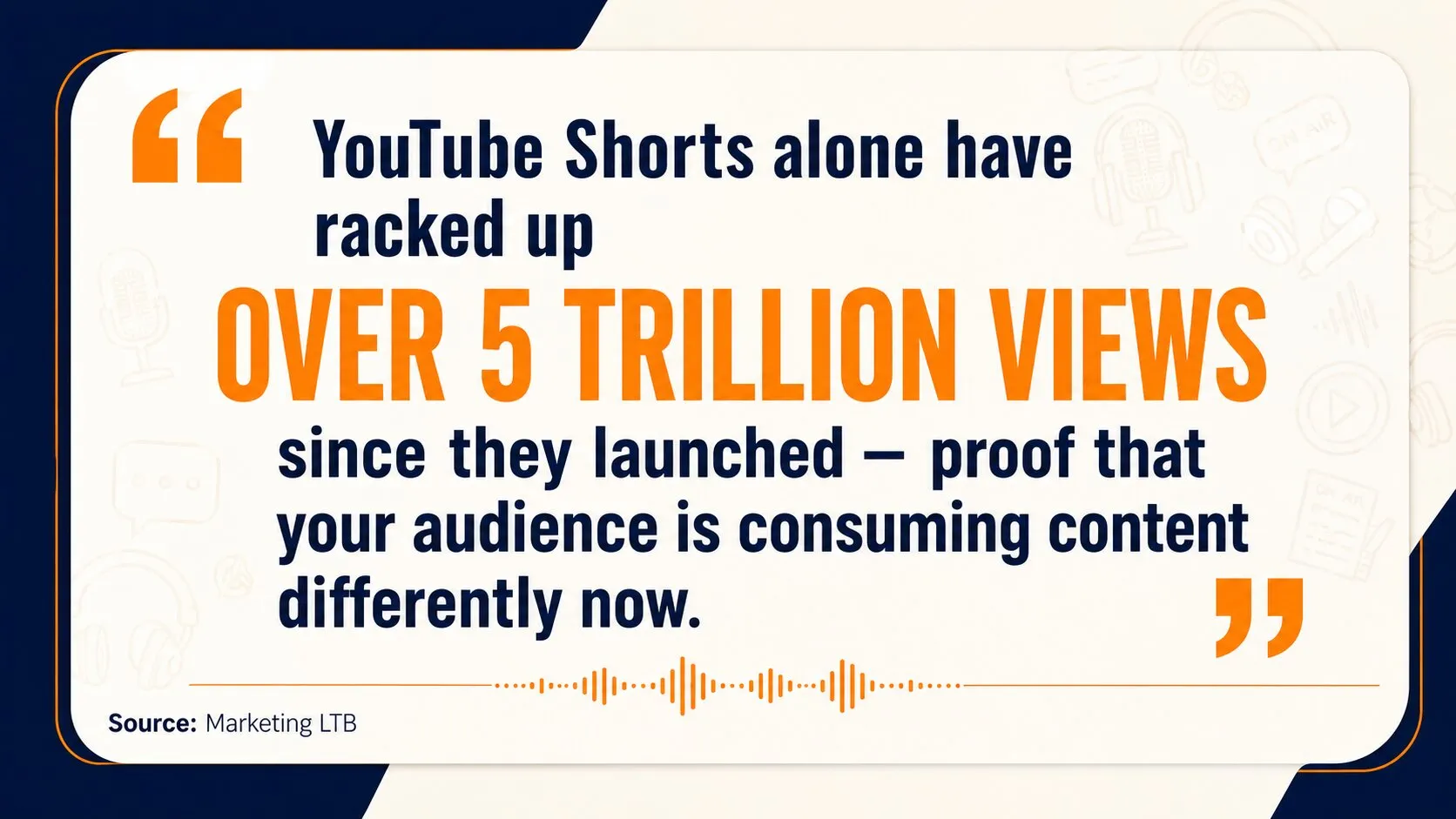
YouTube Shorts alone have racked up over 5 trillion views since they launched – proof that your audience is consuming content differently now.
They’re discovering real estate podcasters through 30-second clips, not 30-minute episodes.
How to Actually Make YouTube Shorts Work
Okay, so you get it. Shorts matter. But most agents treat them like an afterthought. They post randomly, wonder why nothing happens, then blame “the algorithm.”
Let’s fix that.
The 3-5 Rule:
For every long-form episode you publish, create 3-5 Shorts between 15-35 seconds. Not longer. Not shorter. That’s the sweet spot.
Pull the moments that made you lean in when you recorded it:
- A surprising statistic
- A counterintuitive opinion
- A practical tip that makes someone say “wait, what?”
The 2-Second Hook (Or They’re Gone)
The hook must land in the first 2-3 seconds or viewers scroll past. Period.
Think about it. You’re competing with cat videos and recipe hacks. Your opening line better make someone stop mid-scroll.
Here’s the structure that works:
| Element | What It Does | Example |
|---|---|---|
| Hook (0-3 sec) | Stops the scroll | “The biggest mistake sellers make in January” |
| Value (4-20 sec) | Delivers the insight | Quick 15-second explanation of the mistake |
| CTA (21-25 sec) | Drives traffic | “Full breakdown in the episode, link in bio” |
That’s it. Hook. Value. CTA. Don’t overthink it.
Frequently Asked Questions
Can I start a podcast on YouTube with no money?
Yes. Use your smartphone camera, free editing software like Audacity or GarageBand, and Canva for thumbnails. The only cost is your time. Many successful podcasters started with nothing but a phone and earbuds.
How long should my YouTube podcast episodes be?
Episodes above 20 minutes perform better in search rankings. The average video podcast watch time is 28 minutes. However, a well-edited 15-minute episode beats a rambling 45-minute one. Prioritize value density over length.
Do I need to show my face for a YouTube podcast?
No, but video podcasts with visible hosts build stronger viewer trust. 44% of viewers say they trust creators more when they can see them. If you are camera-shy, start with voiceover content and add face-to-camera segments as you build confidence.
What is the best free software for recording a YouTube podcast?
If you’re a beginner, use Zoom for video recording and live streaming, Audacity for audio editing, and GarageBand if you use a Mac. All three are completely free with no watermarks or limitations.
How do I get more views on my podcast episodes?
Create 3-5 YouTube Shorts from each episode to drive discovery. Write titles under 60 characters with keywords your audience searches. Post consistently on the same day each week. Respond to comments to boost engagement signals.
Start Today, Improve Tomorrow
The technical barrier to starting a YouTube podcast has disappeared. Free tools handle everything from recording to editing to distribution. The only real question is whether you will start.
Record your first episode this week using your phone and free software. It will not be perfect. Publish it anyway. The podcasters building audiences right now are not waiting for ideal conditions. They are learning by shipping episodes, reviewing their metrics, and improving with each release.
For real estate agents, a YouTube podcast positions you as the local market expert buyers and sellers turn to before making the biggest financial decision of their lives. That positioning compounds with every episode you publish.
Ready to build your authority with a show of your own but not interested in managing all the production work? Launch your real estate podcast with ICONS and get support with strategy, branding, guest booking, editing, publishing, distribution, and social media content, so you can focus on valuable conversations, clients, and closings.
Not ready to launch your own show yet? You can still use podcasting to build your authority and reach new audiences.
Explore the #1 real estate podcast network and Apply to be a guest.
Done-for-you podcast production
Want a podcast that brings in referrals, not just downloads?
Icons of Real Estate plans, produces and publishes business-growing podcasts for agents. You record. We handle the rest.
Launch Your Podcast
Written by
Co-Founder and Podcast Guru, Icons of Real Estate
Tomás Fonseca co-founded Icons of Real Estate in 2021 and is its Podcast Guru. He has a background in marketing, with stints at companies like Nintendo and Ardor SEO, and is one of the hosts of the Icons of Real Estate Podcast.
How we research, write, fact-check and correct articles: our editorial standards.