On this page
- Why Learn How to Start a Podcast on Apple in 2026?
- What It Means to “Start a Podcast on Apple”
- What You Need Before You Submit (Real Estate Agent Checklist)
- How to Start a Podcast on Apple for Free (and What “Free” Really Means)
- Step-by-Step: How to Start a Podcast on Apple Podcasts (DIY Submission)
- Optimize Your Apple Podcasts Listing to Attract Real Estate Leads
- 10 Episode Ideas for Real Estate Agents (Fast Start Plan)
- Promotion That Actually Works for Agents (Referrals > Virality)
- Real Estate Podcast Proof (Success Stories)
- Common Apple Submission Problems (and Fixes)
- FAQs
- Explore How to Grow Your Real Estate Business With Podcasting
Most real estate agents think learning how to start a podcast on Apple involves complicated tech stuff they should avoid.
Wrong.
Apple Podcasts isn’t where you host your show. It’s where people find it. Think of it like MLS versus your brokerage. You don’t list homes on MLS directly—your brokerage does. Same deal here. Your podcast host creates the RSS feed. Apple just displays it.
This matters because agents waste weeks trying to “upload” to Apple when they should be recording episodes that actually generate referrals. Recording one podcast per week with expert guests gives you 52 potential referral partners annually. But only if you actually get the show launched and listed.
Let’s fix that.
Why Learn How to Start a Podcast on Apple in 2026?
Apple Podcasts hosts over 2.6 million shows and commands 31% of global podcast listening. In the US alone, one-third of podcast listeners choose Apple Podcasts as their go-to platform. That’s millions of potential clients you’re missing if you’re not there.
On iOS devices (which your higher-end clients likely use), Apple Podcasts captures nearly half of all podcast plays.
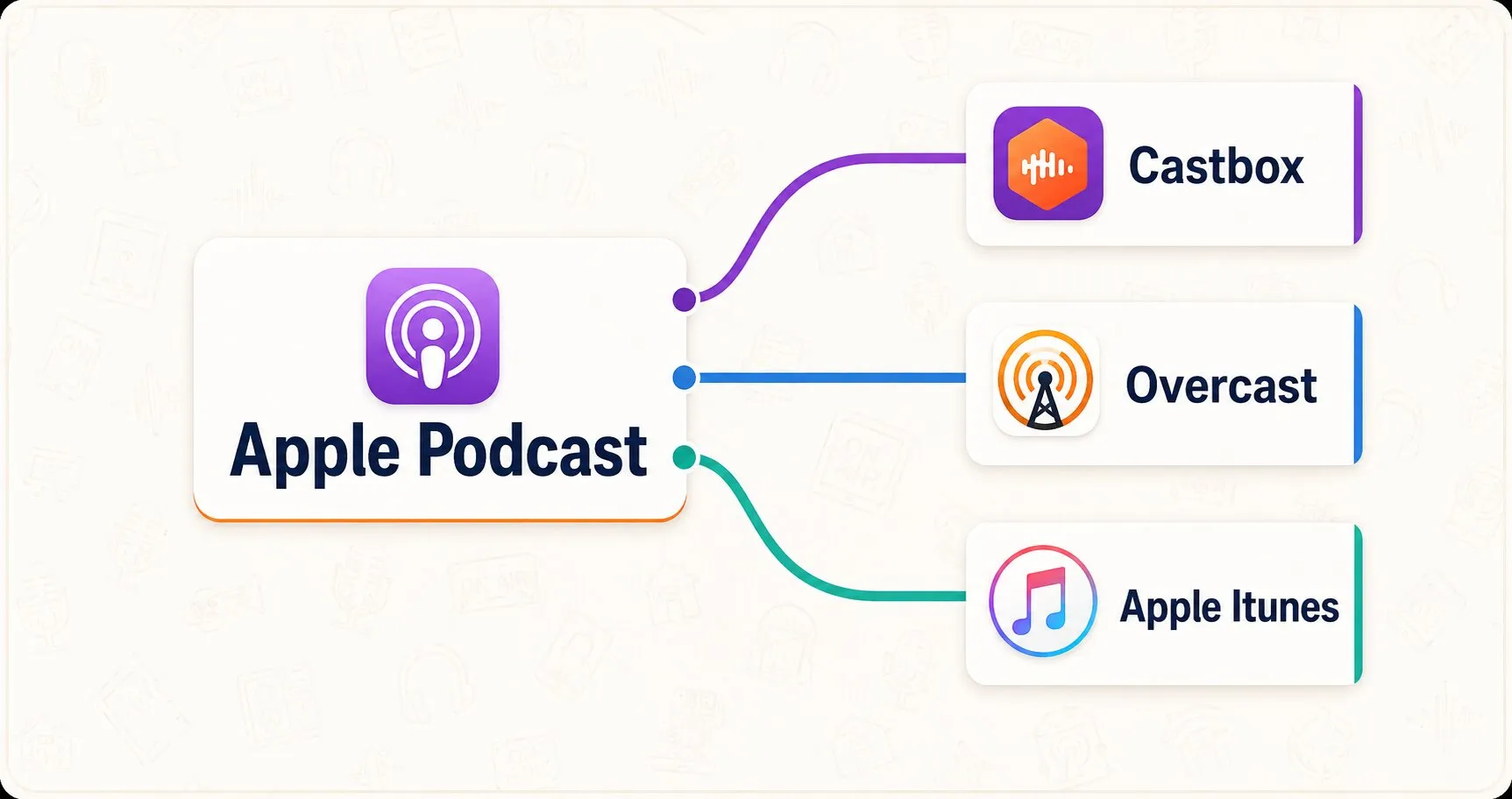
Finally, when you publish to Apple Podcasts, you’re not just reaching Apple users. You’re also distributing your show on tons of other listening apps: Castbox, Overcast, and Apple iTunes.
What It Means to “Start a Podcast on Apple”
Apple Podcasts is a directory. Not a host.
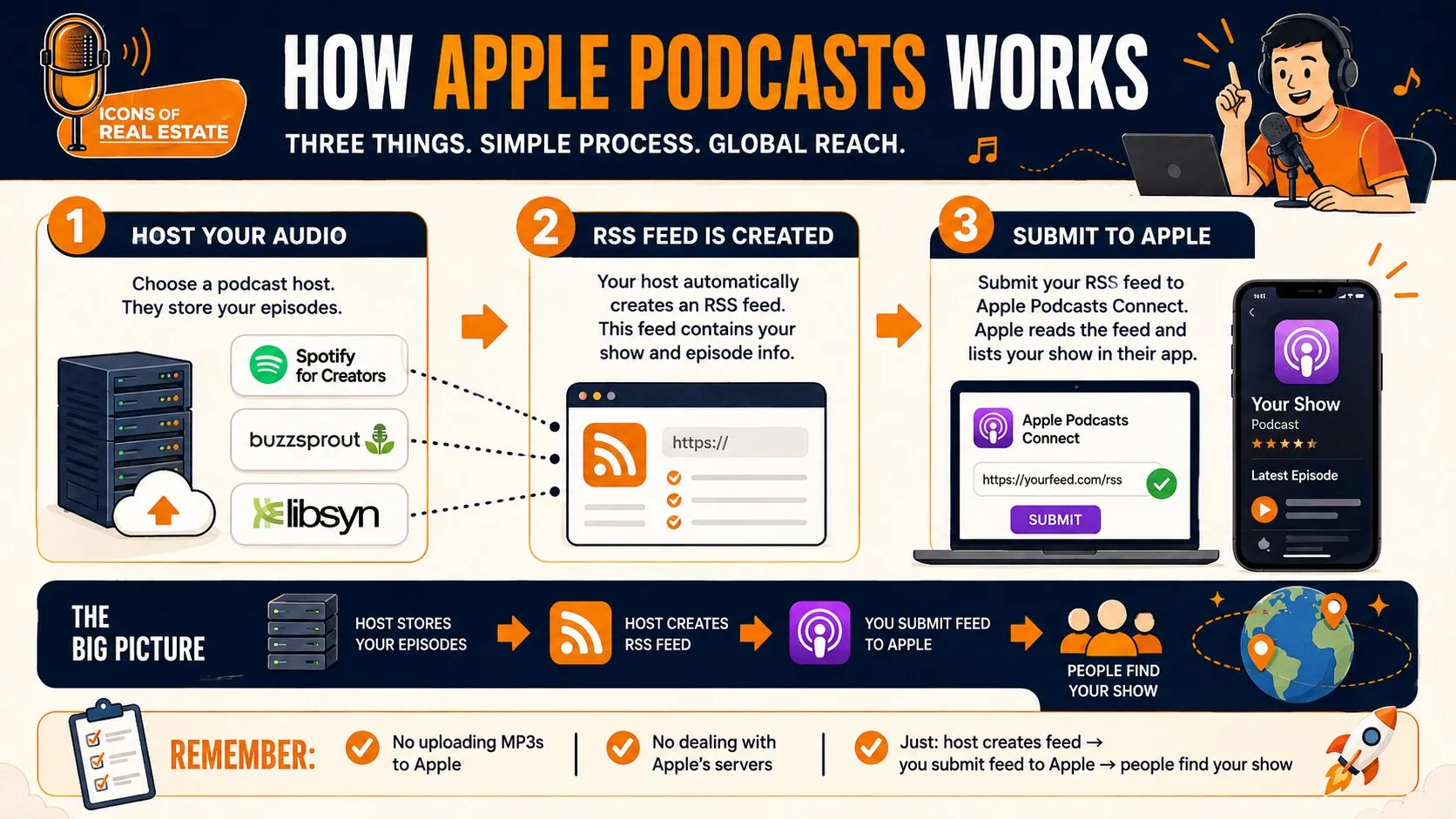
You need three things:
- A place to host your audio files (Spotify for Creators, Buzzsprout, Libsyn)
- An RSS feed (your host creates this automatically)
- An Apple Podcasts Connect account (free with any Apple ID)
The host stores your episodes. The RSS feed tells platforms like Apple where to find them. Apple reads that feed and lists your show in their app.
That’s it. No uploading mp3 files to Apple. No dealing with Apple’s servers. Just: host creates feed → you submit feed to Apple → people find your show.
What You Need Before You Submit (Real Estate Agent Checklist)
Before Apple lists your podcast, have these ready:
| Asset | Real Estate Agent Example | Ready? |
|---|---|---|
| Show name | “Phoenix New Build Updates with [Your Name]” | ☐ |
| Cover art | Your headshot + city name, 3000×3000px | ☐ |
| Episode 1 | At least 1 episode published in your hosting | ☐ |
| Podcast host | Spotify for Creators account created | ☐ |
| Show description | “Weekly insights for Phoenix homebuyers…” | ☐ |
Your show name should include your city or neighborhood. “Denver Real Estate Insights” beats “The Property Show” every time. Local buyers search for local information.
Cover art needs to be readable at thumbnail size. Your face. Your city. Your niche. That’s it. No cluttered designs with 47 different fonts. Framework 05: Distribution, part of the 5-part podcast framework, specifies 3000×3000px cover art for Apple Podcasts.
And don’t plan your launch around a single episode. Framework 04: Launching recommends releasing at least three episodes on day one, giving listeners more content to explore right away.
How to Start a Podcast on Apple for Free (and What “Free” Really Means)
Free means: zero cost to submit to Apple.
Not free: recording equipment, hosting, and your time.
The “Free” Path:
- Record on your phone ($0)
- Edit with Audacity or GarageBand ($0)
- Host with Spotify for Creators ($0)
- Submit to Apple Podcasts Connect ($0)
Total: $0 in software.
The Reality Check:
Podcasters can spend $70-$100 on microphones and equipment. Hosting platforms can cost $10 – $30 per month. However, a small percentage does it entirely free. But here’s what they don’t tell you: audio quality matters for credibility.
Compare:
- Phone recording in your car = sounds amateur.
- USB microphone in a quiet room = sounds professional.
Buyers and sellers associate production quality with competence. So a $75 microphone is cheaper than losing one listing because someone didn’t take you seriously.
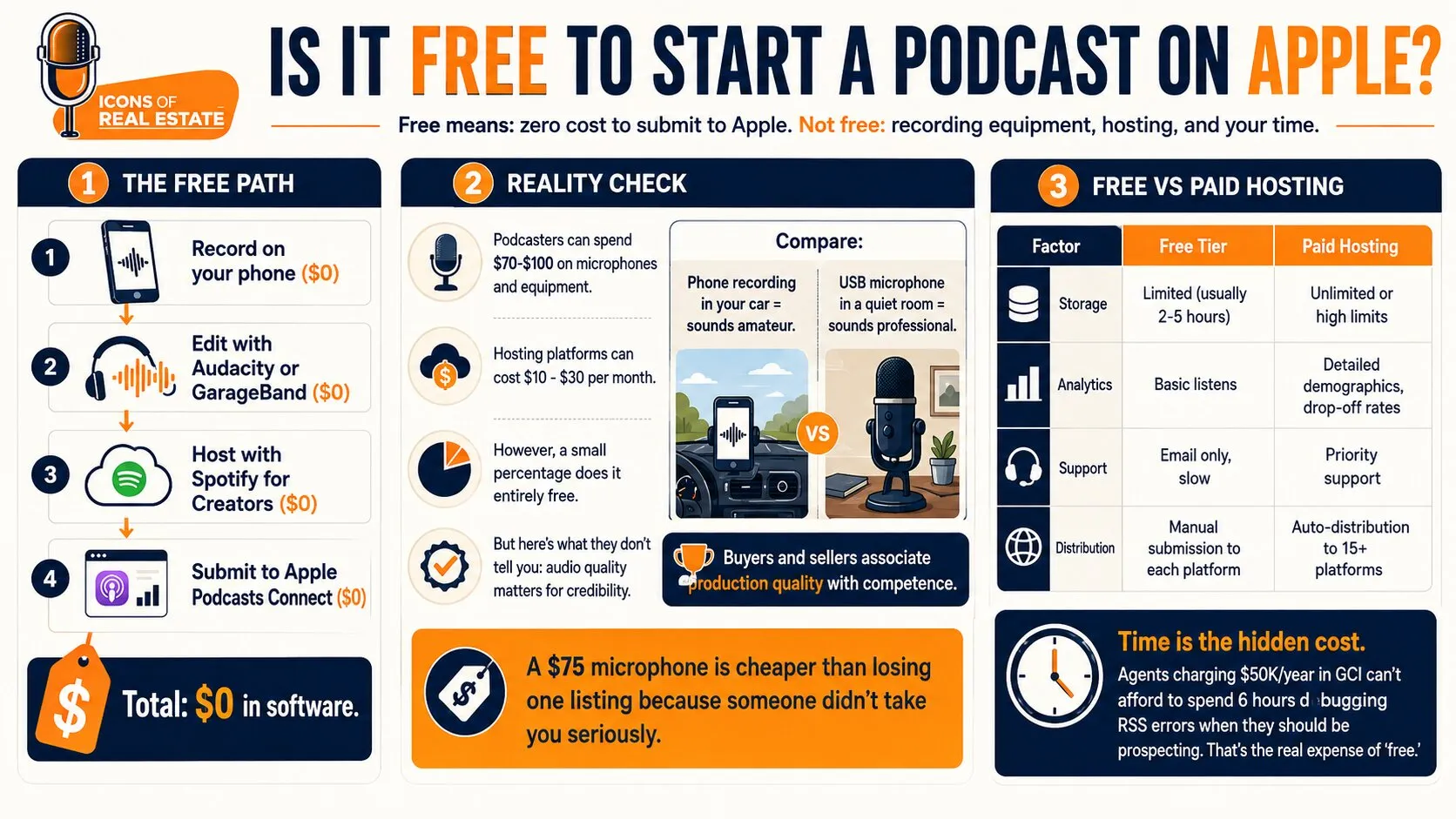
Free vs Paid Hosting:
| Factor | Free Tier | Paid Hosting |
|---|---|---|
| Storage | Limited (usually 2-5 hours) | Unlimited or high limits |
| Analytics | Basic listens | Detailed demographics, drop-off rates |
| Support | Email only, slow | Priority support |
| Distribution | Manual submission to each platform | Auto-distribution to 15+ platforms |
Time is the hidden cost. Agents charging $50K/year in GCI can’t afford to spend 6 hours debugging RSS errors when they should be prospecting. That’s the real expense of “free.”
Would you rather focus on the conversations than the podcast setup? Launch your real estate podcast with ICONS and get support with strategy, production, publishing, and distribution. So you can spend more time building relationships with clients and referral partners and less time managing the tech.
Step-by-Step: How to Start a Podcast on Apple Podcasts (DIY Submission)
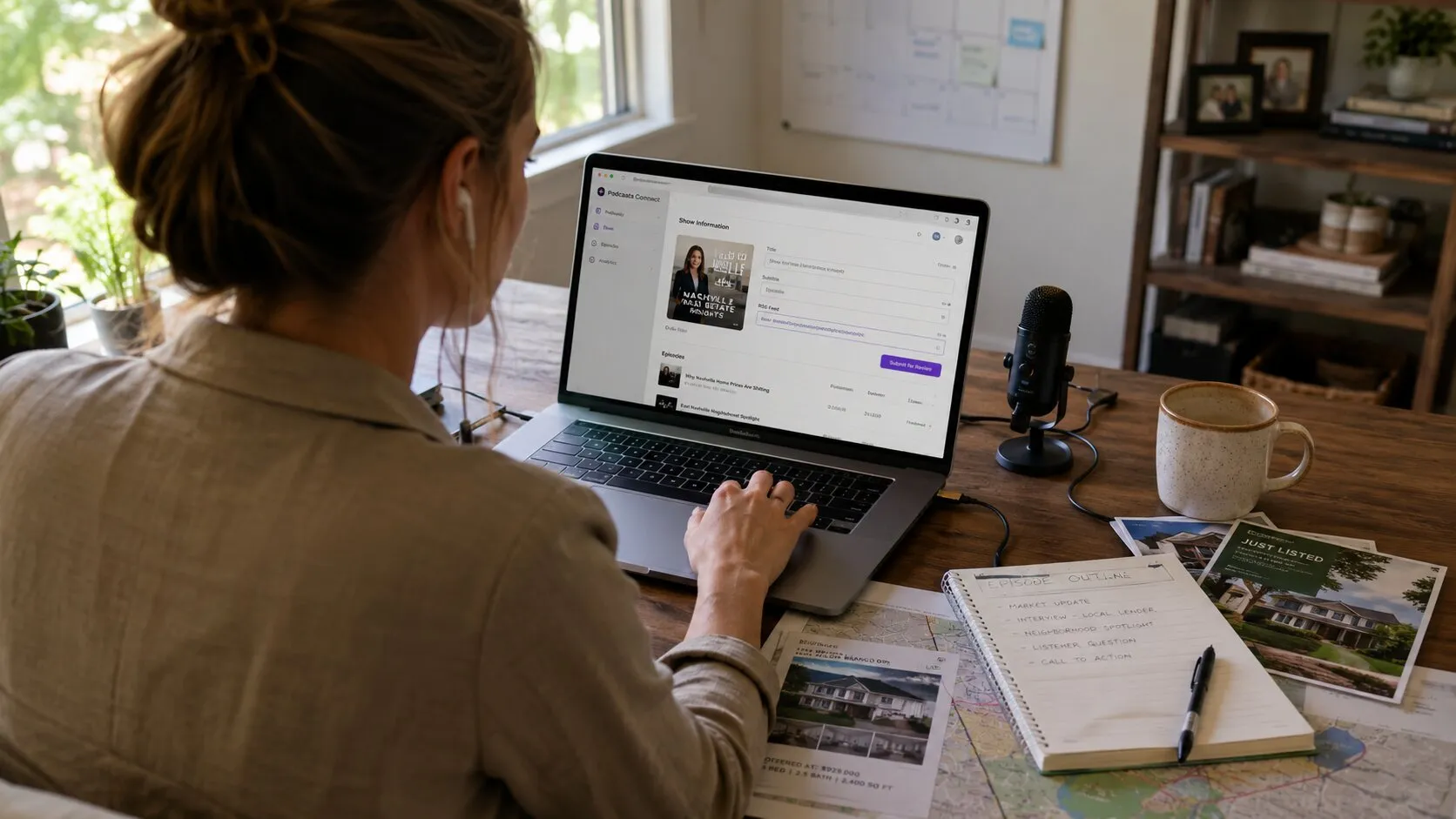
Step 1: Sign in to Apple Podcasts Connect
- Go to https://podcasters.apple.com/ and click “Sign in”
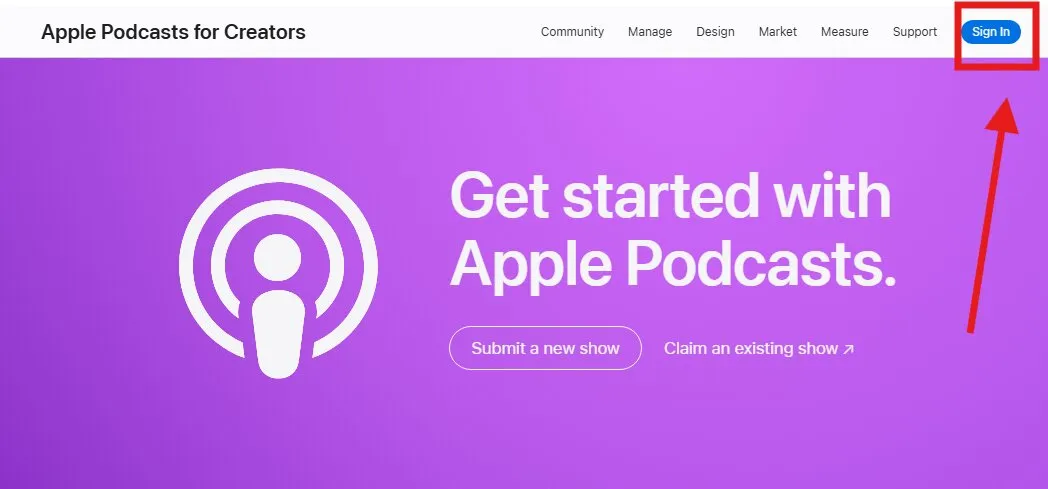
- Use an Apple ID with a valid credit card on file. Even though submitting your podcast on Apple Podcast is free, having your card on file helps Apple to verify users, confirming you are a real entity.
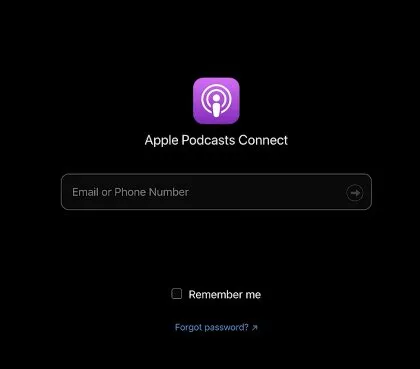
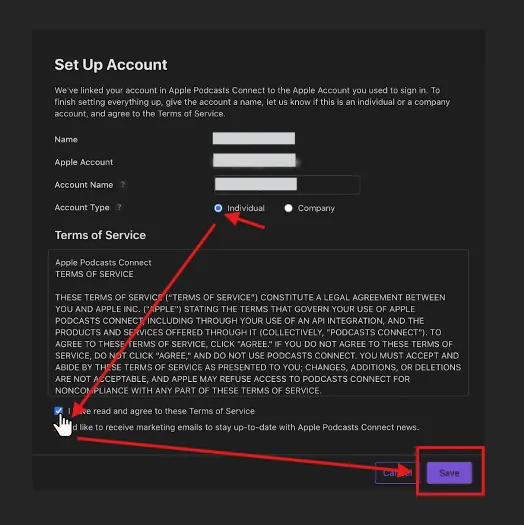
- Add your name, apple account, account name, and account type. Agree to the Terms of Services, then press save.
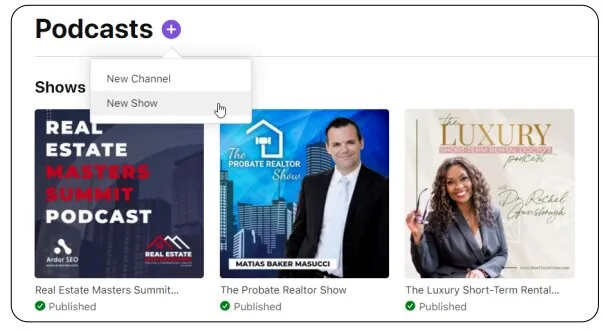
- Click the + icon to add a new show
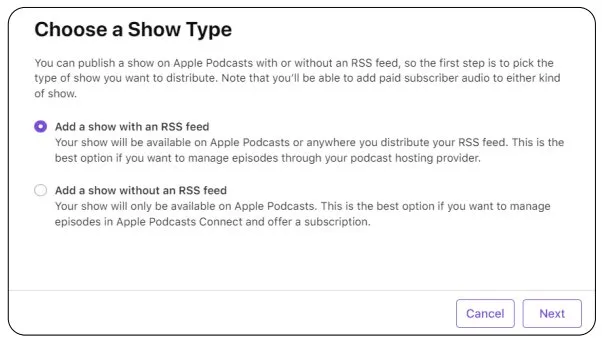
Step 2: Choose Your Show Type
- Select “Add a show with an RSS feed.”
- This lets you manage episodes through your podcast host, not Apple directly
Step 3: Enter Your RSS Feed URL
-
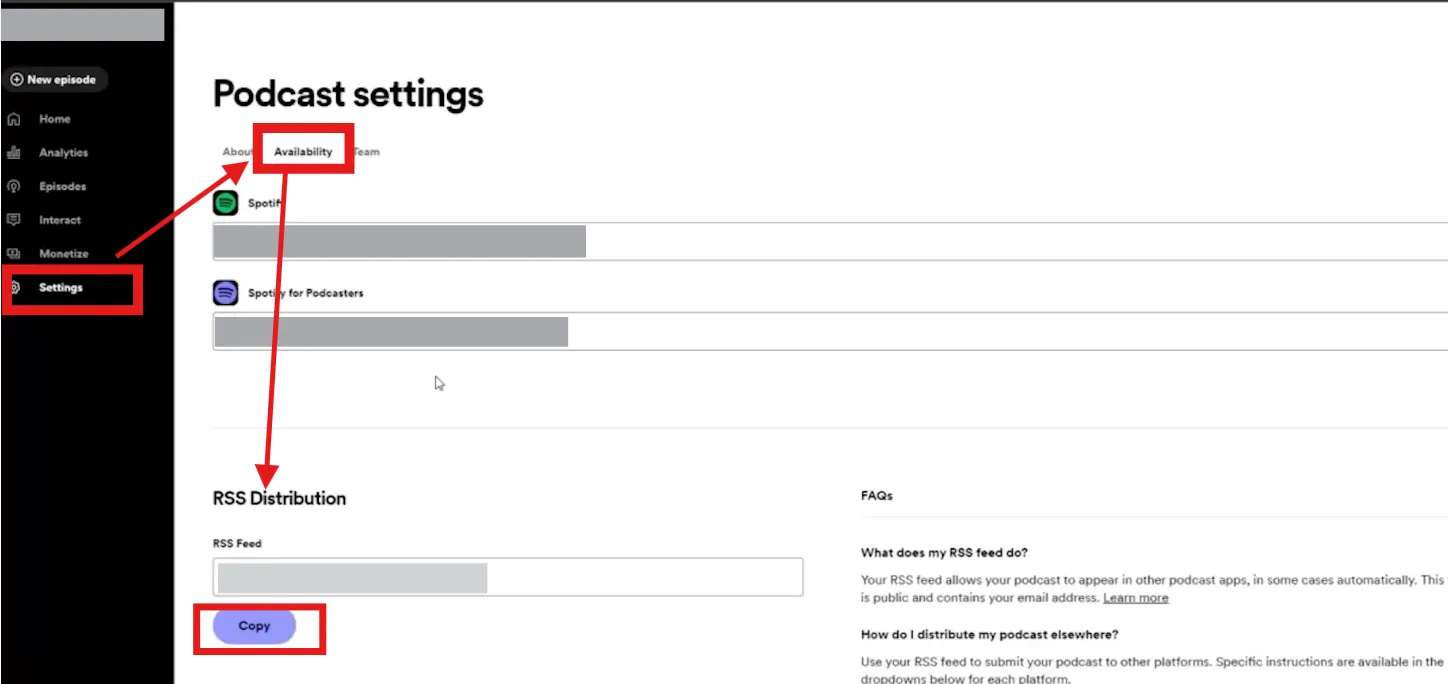
Copy your RSS feed from your hosting platform
-
Spotify for Creators shows this in Settings → Availability → RSS Distribution
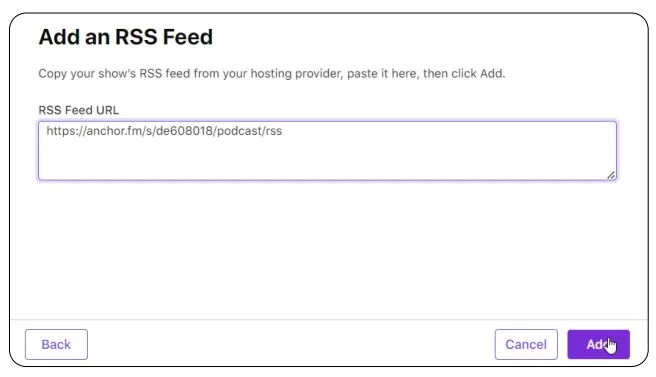
- Paste into Apple’s field
- Click “Add” and Apple will process it. Take note that Apple’s validation process can take at least 30 minutes to a few hours, but if it takes more than a few hours, please contact Apple Podcast’s support here: https://podcasters.apple.com/support/
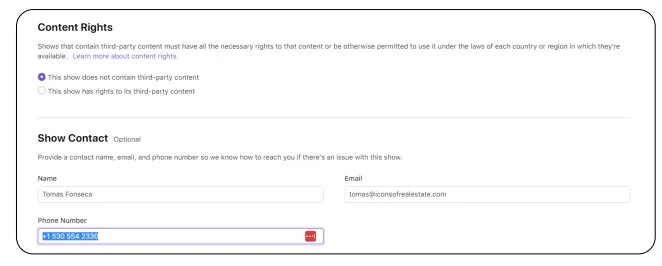
- Under “Content Rights,” please check the “This show does not contain third-party content” checkbox. This just means you’re not using copyrighted material in your episode.
- Then, enter your name/email and contact number. This info is not publicized, but it helps Apple to contact you if they find any issues with your podcast.
- Click “SAVE” at the top right.
Take note that Apple scans your feed for:
Show title, description and episode metadata
Provide your show’s name, creator name, and a description. Be aware that Apple uses the Title and Creator fields for searches, so choose them carefully; however, avoid “keyword stuffing,” as this can lead to your show being rejected.
Cover art (must be 3000×3000px)
Your cover art must be a unique JPEG or PNG file. Ideally, it must be 3000 x 3000 pixels with a resolution of 72 DPI.
At least one published episode
You cannot submit an empty feed; you must upload and publish at least one episode to your hosting provider first
Step 4: Fix Any Errors
Here are some common issues to watch out for when uploading your real estate podcast to Apple:
| Issues | Fix |
|---|---|
| No episodes detected | You need at least one published episode in your host |
| Artwork too small | Must be 1400×1400 minimum, 3000×3000 recommended |
| Invalid RSS | Usually, a hosting platform issue, contact their support |
| Missing category | Select a category in your host settings (Business, Education, etc.) |
Step 5: Review Show Details
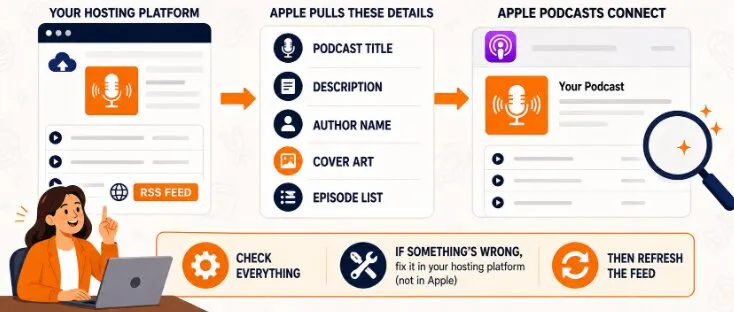
Apple pulls this automatically from your RSS:
- Podcast title
- Description
- Author name
- Cover art
- Episode list
Check everything. If something’s wrong, fix it in your hosting platform (not in Apple), then refresh the feed.
Step 6: Submit for Review
Once all podcast show information has been pulled and there aren’t any technical issues with your RSS feed, you’re ready to click “Publish” at the top right to complete your podcast submission.
Apple typically reviews within 24-48 hours. But, it could take up to 5 business days during peak times.
Then, you’ll receive an email that confirms your podcast is now ready to listen to.
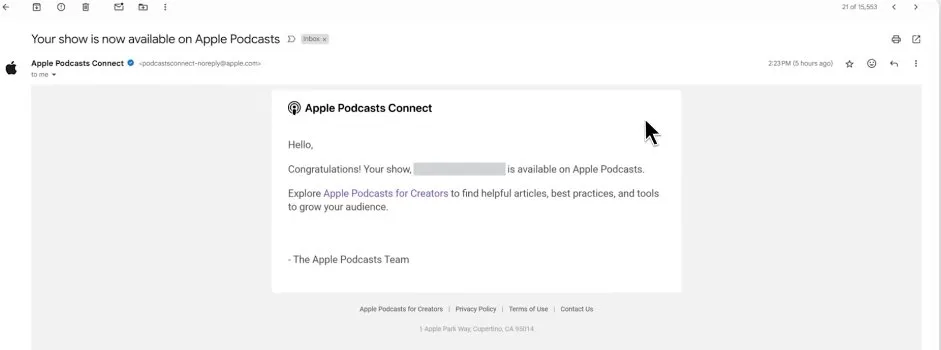
Approval delays usually come from artwork issues or RSS formatting errors, not content review. Apple’s not screening your market analysis for accuracy. They’re checking technical compliance.
Once approved, your show appears in Apple Podcasts within a few hours. New episodes publish automatically when you upload to your host. You never submit individual episodes to Apple again.
Optimize Your Apple Podcasts Listing to Attract Real Estate Leads
Your Apple listing determines who subscribes.
So if there are two agents, same city, and same niche. But one gets 15 subscribers per episode, and the other gets 140 – the difference is in how they structured their show.
Let me guide you on how to structure yours:
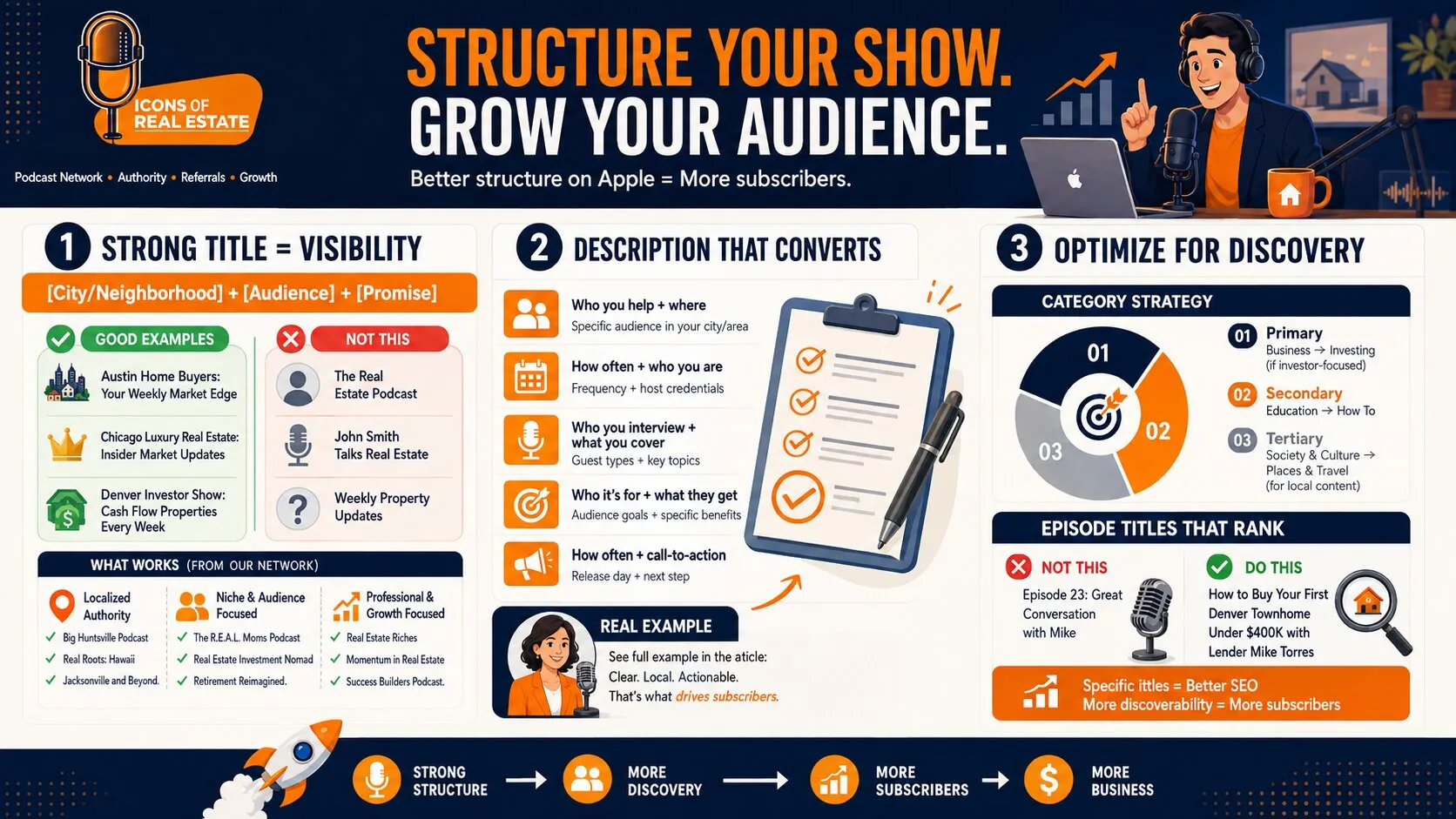
Title Formula
[City/Neighborhood] + [Audience] + [Promise]
Examples:
- “Austin Home Buyers: Your Weekly Market Edge”
- “Chicago Luxury Real Estate: Insider Market Updates”
- “Denver Investor Show: Cash Flow Properties Every Week”
Not:
- “The Real Estate Podcast” (too generic)
- “John Smith Talks Real Estate” (nobody cares about you yet)
- “Weekly Property Updates” (updates about what?)
Here are other effective titles from our Podcast Network:
- Localized Authority:
- Big Huntsville Podcast
- Real Roots: Hawaii
- Jacksonville and Beyond.
- Niche & Audience Focused:
- The R.E.A.L. Moms Podcast
- Real Estate Investment Nomad
- Retirement Reimagined.
- Professional & Growth Focused:
- Real Estate Riches
- Momentum in Real Estate
- Success Builders Podcast.
Description Template:
Copy this structure:
“[Show Name] helps [specific audience] in [city/area] [achieve specific outcome].
Every [frequency], [your name], a [your credentials/specialty] in [market], interviews [types of guests: local lenders, home inspectors, successful investors] to break down [topics: market trends, buying strategies, investment opportunities].
Whether you’re [audience goal 1] or [audience goal 2], you’ll get [specific benefit] without [common pain point].
New episodes every [day]. Subscribe now and [call-to-action: visit website, download buyer guide, schedule consultation].”
Real example from Icons’ real estate podcast data:
“Austin Home Insider helps first-time homebuyers navigate the Austin real estate market without overpaying or missing out on perfect properties.
Every Tuesday, Sarah Martinez, a Realtor® with 8 years in Austin’s competitive market, interviews local lenders, inspectors, and successful buyers to break down what’s actually happening in neighborhoods from Mueller to Circle C.
Whether you’re trying to time your first purchase or comparing mortgage options, you’ll get weekly market data and actionable advice without the overwhelm of conflicting online information.
New episodes every Tuesday. Subscribe now and download our free Austin Neighborhood Comparison Guide at [website].”
Category Strategy:
Select 2-3 categories that match your content:
- Primary: Business → Investing (if investor-focused)
- Secondary: Education → How To
- Tertiary: Society & Culture → Places & Travel (for local content)
Buyers searching “San Diego real estate podcast” find shows tagged with location + investing/business categories. Don’t just pick “Business” and call it done.
Episode Naming for Local SEO:
✖️ Not this: “Episode 23: Great Conversation with Mike”
✔️ This: “How to Buy Your First Denver Townhome Under $400K with Lender Mike Torres”
Search engines index episode titles. Be specific about location, price points, and property types your audience searches for.
10 Episode Ideas for Real Estate Agents (Fast Start Plan)
You need content mapped out before you launch. Most podcasts die at episode 7 because agents run out of ideas. Here’s your first quarter:
- Market Update: “What Just Happened in [City] Real Estate: Q1 2026 Numbers”
- Neighborhood Deep Dive: “[Neighborhood Name] Buyer’s Guide: Schools, Prices, Lifestyle”
- Lender Interview: “How [City] Buyers Are Getting Pre-Approved in 2026 with [Lender Name]”
- Home Inspector Q&A: “Red Flags Every Buyer Misses: Inspection Stories from [Inspector Name]”
- Deal Breakdown: “How My Client Negotiated $30K Off in a Seller’s Market”
- Investor Corner: “First Rental Property: [Investor Name]’s Journey from 1 to 10 Doors”
- Builder Spotlight: “New Construction in [Area]: What Builders Won’t Tell You”
- Staging Secrets: “5 Changes That Sold [Address] in 3 Days with [Stager Name]”
- Title Company Insights: “Closing Disasters and How to Avoid Them with [Title Rep]”
- Client Success Story: “From Renting to Homeownership: [Client]’s [City] Story”
Notice the pattern? Every episode includes a guest.
That guest strategy is a major part of Framework 02: Inviting Guests, one of ICONS’ five podcast frameworks for real estate professionals. Interviewing one guest per week gives you 52 opportunities a year to build relationships with lenders, inspectors, contractors, local business owners, and other potential referral partners.
Explore the complete five-part Podcast Framework to discover how ICONS approaches finding and inviting the right guests, building stronger relationships through your show, launching strategically, and distributing each conversation beyond the original episode.
Promotion That Actually Works for Agents (Referrals > Virality)
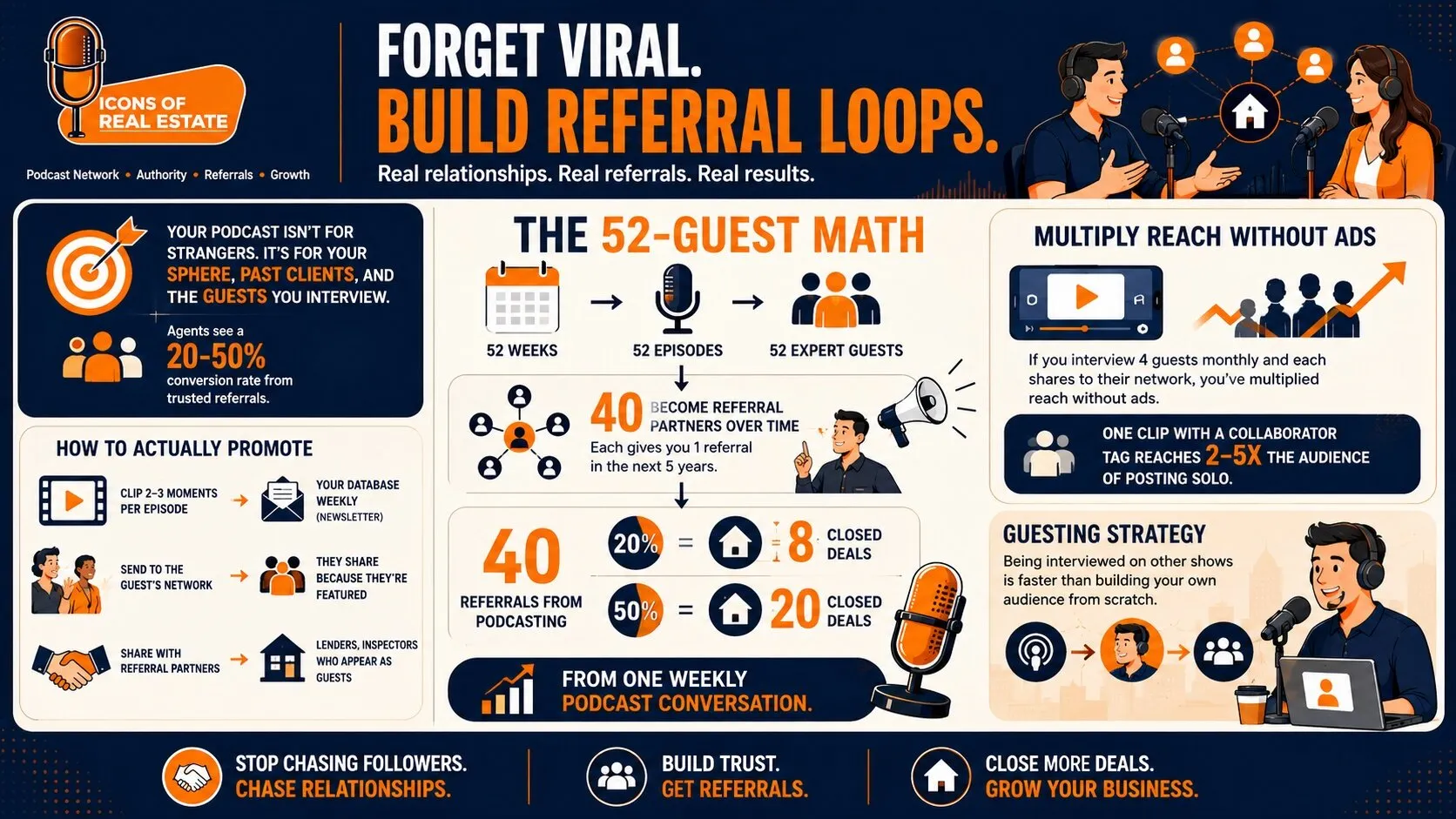
Forget viral. Build referral loops.
Your podcast isn’t for strangers on the internet. It’s for your sphere, past clients, and the guests you interview. According to data from Icons of Real Estate partners, agents typically see a 20-50% conversion rate from leads coming from trusted referrals.
The 52-Guest Math:
52 weeks = 52 episodes = 52 expert guests.
Assume 40 become referral partners over time. Each gives you 1 referral in the next 5 years. (Some give zero. Some give three. It averages out.)
That’s 40 referrals from podcasting. At a 20% conversion rate? 8 closed deals. At 50%? 20 closed deals.
From one weekly podcast conversation.
How to Actually Promote:
Don’t treat the published episode as the final deliverable. Framework 05: Distribution, part of the 5-part podcast framework, treats each recording as raw material for a wider content system. This includes short-form clips, a LinkedIn quote card, a blog post, newsletter content, and an Instagram quote graphic.
For a simple weekly version:
- Clip 2-3 strong moments for social.
- Feature the episode in your email newsletter.
- Send ready-to-share content to your guest.
- Share relevant clips with referral partners and your local network.
One conversation can keep working long after the full episode goes live.
Weekly Promotion Checklist:
- Embed episode in email newsletter to database
- Send clip + link to guest with “thanks for being on”
- Post 1-2 clips to Instagram/Facebook with guest tagged
- Add episode link to email signature
- Drop in local Facebook groups when relevant (not spam—actual value)
If you interview 4 guests monthly and each shares to their network, you’ve multiplied reach without ads. One clip with a collaborator tag reaches 2-5x the audience of posting solo.
Guesting Strategy:
Being interviewed on other shows can help you reach new audiences without waiting to build your own from scratch. Apply to be a guest on the ICONS Podcast Network and turn your real estate expertise into an interview you can use to strengthen your credibility, expand your visibility, and stay in front of potential clients and industry connections.
Want to explore even more opportunities? Browse the ICONS Discovery Hub to discover podcasts that fit your niche and expertise, find relevant guest opportunities, and identify more ways to get in front of audiences you actually want to reach.
Real Estate Podcast Proof (Success Stories)
Here are a few examples of how real estate professionals have used podcasting to strengthen relationships, build their brands, and create opportunities beyond downloads and views.
- Kyle Madorin used his podcast to systematically interview every referral partner in his market. Lenders. Title reps. Contractors. Each episode strengthened relationships and kept him top-of-mind. See his results.
- Shaune Corbett secured 4 sponsorships and started building his brand around his podcast. Learn his approach.
- Shae Spitz generated 330 listings from a single podcast recording. Not from paid ads, but from one strategic episode that his guest shared widely. See here
Want to see what podcasting can produce beyond downloads and views?
Explore more real estate podcast success stories to see how other professionals have used their shows to build relationships and create new business opportunities
Common Apple Submission Problems (and Fixes)
“Apple can’t detect any episodes”
- You need at least one published episode in your hosting platform
- Make sure episode status is “Published,” not “Draft”
- Wait 15-30 minutes after publishing, then resubmit RSS feed to Apple
“Podcast artwork doesn’t meet specifications”
- Must be minimum 1400×1400 pixels (3000×3000 recommended)
- Square format only (not rectangular)
- JPEG or PNG format
- RGB color space (not CMYK)
- No tiny text that’s unreadable at thumbnail size
“RSS feed cannot be validated”
- Contact your podcast host’s support—this is usually a hosting issue
- Check if your RSS feed URL is correct (copy/paste from host settings)
- Make sure your hosting account is active/paid if on paid plan
“Missing required show category”
- Log into your hosting platform
- Navigate to show settings
- Select at least one category (Business, Education, etc.)
- Save changes, wait 10 minutes, then resubmit to Apple
“Show not appearing in Apple Podcasts after approval”
- Give it 24-48 hours after approval email
- Search by exact show name in Apple Podcasts app
- Clear app cache or try searching from different device
- Check that your hosting platform has “Apple Podcasts” enabled in distribution settings
“Can’t submit because no Apple ID”
- Create free Apple ID at appleid.apple.com
- Don’t need an iPhone or Mac—any email works
- Use this ID to access Podcasts Connect
FAQs
Can I start a podcast on Apple for free?
Yes. If you’re wondering how to start a podcast for free on Apple, submitting to Apple itself costs nothing. You need a free Apple ID and an RSS feed from your host. Spotify for Creators offers free hosting, so your only cost is time and a microphone if you want quality audio.
How long does Apple approval take?
Usually 24-48 hours. Could stretch to 5 business days during busy periods. Delays typically come from artwork or RSS issues, not content review.
Do I need a website to submit to Apple?
No. Apple only requires an RSS feed. However, having a website helps with credibility and gives listeners somewhere to go after they discover you. Include your website URL in show notes and episode descriptions.
What’s the fastest way for agents to get interviewed on other podcasts?
If you don’t want to spend your time researching shows, cold-pitching hosts, and coordinating interviews, let the ICONS Podcast Guesting handle your guest-booking strategy. It helps with podcast matching, customized pitches, interview coordination, and preparation so you can focus on showing up and sharing your real estate expertise.
Explore How to Grow Your Real Estate Business With Podcasting
Ready to stop guessing the tech and start recording episodes that generate referrals?
Launch Your Real Estate Podcast With ICONS → Get help with strategy, production, publishing, and distribution without managing all the tech yourself.
Get Booked on Relevant Podcasts → Get support finding right-fit shows, pitching hosts, and coordinating interviews so you can focus on sharing your expertise.
Explore the 5-Part Podcast Framework → Discover how to strengthen guest relationships, launch strategically, and get more value from every episode.
Get Interviewed on the ICONS Podcast Network → Share your expertise with new audiences while building visibility, credibility, and industry connections.
Discover More Podcast Opportunities → Find shows and guest opportunities that fit your niche, market, and expertise.
Once you understand how to start a podcast on Apple, the tech is only the beginning. The real value comes from using each episode to build relationships, stay visible, and create more opportunities for your real estate business.
Done-for-you podcast production
Want a podcast that brings in referrals, not just downloads?
Icons of Real Estate plans, produces and publishes business-growing podcasts for agents. You record. We handle the rest.
Launch Your Podcast
Written by
Co-Founder and Podcast Guru, Icons of Real Estate
Tomás Fonseca co-founded Icons of Real Estate in 2021 and is its Podcast Guru. He has a background in marketing, with stints at companies like Nintendo and Ardor SEO, and is one of the hosts of the Icons of Real Estate Podcast.
How we research, write, fact-check and correct articles: our editorial standards.